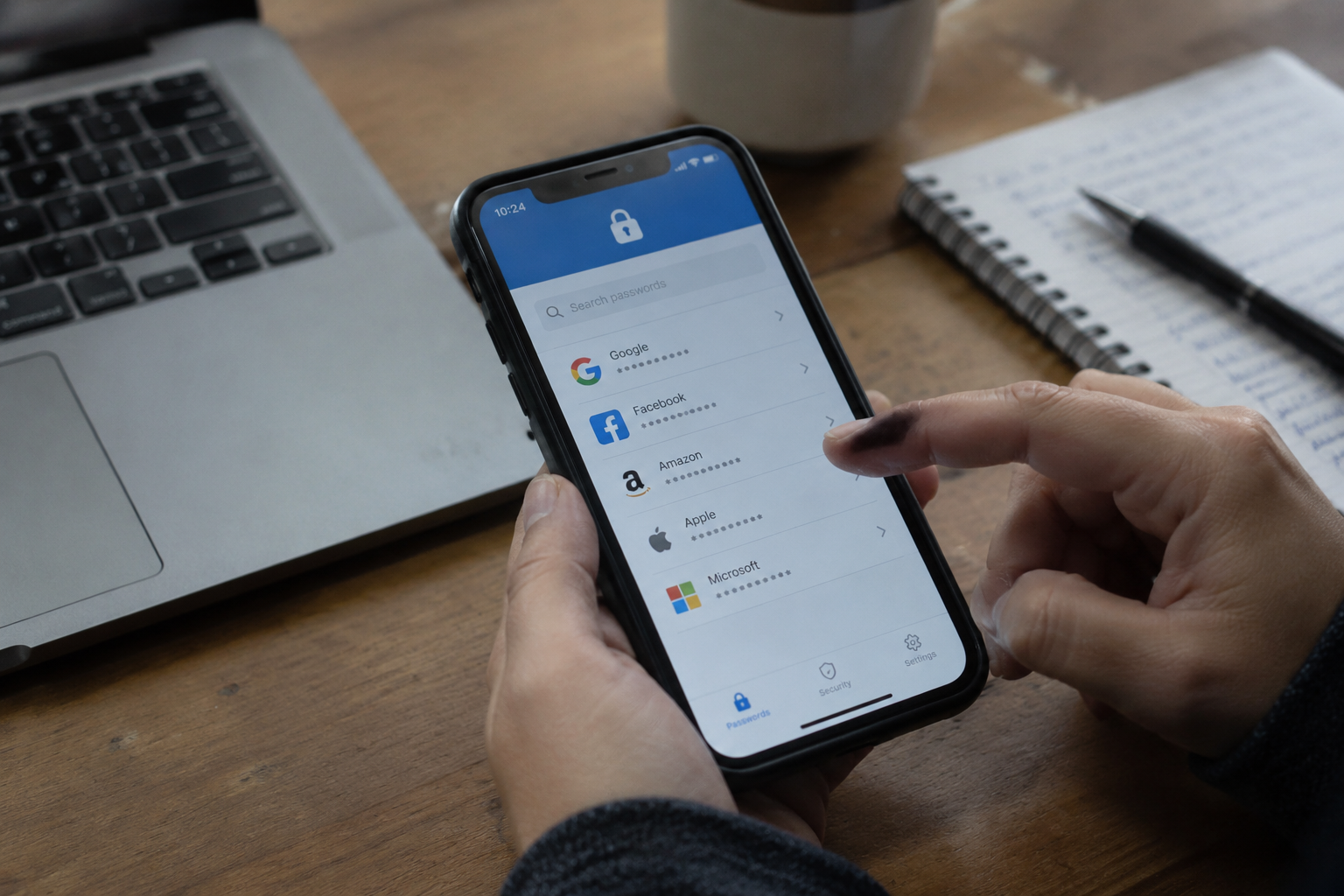
A password manager is a program that stores logins in an encrypted vault and unlocks that vault with one master password. The vault syncs across devices, fills in forms, and generates strings like "tV9#mQ2$xLp7!wR4" so nobody has to invent them. That is the whole product. The question of who should buy one turns on a narrower matter than the marketing suggests: how many accounts a person actually maintains, and whether those accounts cluster around money or around mild inconvenience.
Most pitches for these tools assume a single kind of user, someone with eighty accounts, two phones, a shared streaming subscription, and a growing suspicion that the same password has been reused since college. That person exists. So does the retiree with four logins written in a paper address book beside the landline. The two need very different advice, and the gap between them is where the honest answer lives.
The count that actually matters
Account sprawl is the dividing line. A person who logs into a bank, an email address, a utility portal, and a pharmacy refill page has four things to remember and almost no exposure to the failure mode password managers are built to prevent: reuse across dozens of sites, where one breach cascades into twenty.
Someone with a streaming service, a gym app, three work systems, a tax portal, two email addresses, a dozen shopping accounts, and a shared family calendar sits on the other side of the line. That person has already lost track of which password belongs where. The vault earns its keep the moment the count passes the point where memory gives out, which for most adults arrives somewhere in the twenties.
A rough audit takes ten minutes. Open a browser's saved-password list, or scroll the phone's settings, and count the entries. Twenty or fewer, with no duplicates, means the current system works. Forty or more, especially with the same three passwords rotating, means it does not.
Where a vault stops being optional
Certain categories of account raise the stakes past convenience. Email is the master key to everything else, because password resets route through it. Banking and brokerage logins move real money. A cloud storage account holds documents and photographs that cannot be reissued the way a credit card can. Health portals carry records that outlive most other data.
Any household where two or more of these accounts share a password has a specific, fixable problem. A single breach at a retailer, the kind that dumps millions of email-and-password pairs onto a forum, turns into a key that opens the bank. Attackers call this credential stuffing, and it works precisely because people reuse. A manager makes every login unique without asking the user to memorize anything new.
The other forcing function is a shared household. Couples who swap streaming passwords by text, parents who log into a child's school portal, roommates who split a utility account: each of those handoffs happens over an insecure channel, usually a message thread, where the credential sits in plaintext for years. A manager with a built-in sharing feature moves that exchange into an encrypted container. The password never appears in a chat log.
Who can honestly skip the purchase
A person with a small, stable set of accounts and a working memory for them does not need to pay for a vault. The browser's built-in password saver covers this case adequately. Chrome, Safari, Firefox, and Edge all store logins, sync them across a user's own devices, and offer to generate strong passwords on signup forms. The security is imperfect and tied to the browser ecosystem, but for someone with fifteen accounts it is meaningfully better than a notebook and roughly as good as the paid alternative.
The same holds for anyone whose digital life runs through a single ecosystem. An iPhone owner who uses Safari, iCloud Keychain, and Apple's password suggestions already has a functional manager preinstalled. Adding a separate subscription buys cross-platform independence, which matters only if the person actually uses a Windows laptop or an Android tablet alongside the phone.
There is a third group that should skip the paid product but not the practice: people who genuinely will not use it. A manager that sits unopened because the master password was forgotten on day three is worse than no manager, since it creates a false sense of security and a locked vault full of credentials nobody can retrieve. These tools demand a small amount of ongoing discipline, and a person who knows they will not maintain it is better served by a paper record in a locked drawer than by an abandoned app.
The master password problem nobody advertises
Every password manager reduces a hundred passwords to one, and that one becomes the most valuable string the user owns. Forgetting it usually means losing the vault, because the encryption is designed so that even the company cannot open it. That design is a feature, and it is also a trap for anyone who treats the master password like the others.
The practical fix is a passphrase, four or five unrelated words strung together, written once on paper and stored somewhere physically secure. It is long enough to resist guessing and short enough to type from memory after a week. The paper copy exists for the day the memory fails, not as a daily reference.
Recovery options vary by product and deserve a look before purchase. Some services offer emergency access, where a designated contact can request the vault after a waiting period. Others offer nothing beyond the master password. A household that buys a manager without checking this detail may discover, at the worst possible moment, that the surviving spouse cannot reach the accounts.
Free tiers versus the paid subscription
The major managers, Bitwarden, 1Password, Dashlane, and LastPass among them, all offer a free or cheap entry point, and the differences between tiers matter less than the marketing implies. Free tiers typically limit sync to one device type or cap the number of stored items. Paid tiers add sharing, emergency access, and encrypted file storage.
For a single person with no sharing needs, the free tier of a reputable manager covers the job. The upgrade becomes worthwhile when a second person joins the vault, when a family needs to share specific logins without sharing everything, or when the user wants the emergency-access feature. Paying for a family plan to get sharing is a reasonable spend. Paying for a premium single-user tier to unlock features the person will never touch is a subscription that quietly renews for years.
One caution applies to any manager: the product is only as trustworthy as its breach history. LastPass suffered a serious incident in 2022 that exposed encrypted vault data, and the fallout pushed many users toward alternatives. A buyer should spend five minutes reading about a vendor's recent security record before committing a decade of logins to it.
A decision rule that fits on an index card
Count the accounts. Check for repeats. If the count is under twenty and no password appears twice, a browser's built-in saver will do, and the money is better spent elsewhere. If the count is over thirty, or if two or more sensitive accounts share a password, buy a manager this week and set up the master passphrase the same day.
Between those poles sits the largest group: people with twenty-five accounts, one reused password they are vaguely worried about, and no clear sense of whether the purchase is justified. For them the answer is yes, but the cheapest tier will do, and the browser's free option is a fine stopgap while they decide.
The final consideration is time. A person who spends an afternoon migrating logins into a vault, confirming each one works, and writing down the master passphrase has bought years of not thinking about passwords at all. That afternoon is the actual product. The subscription is just the receipt.


