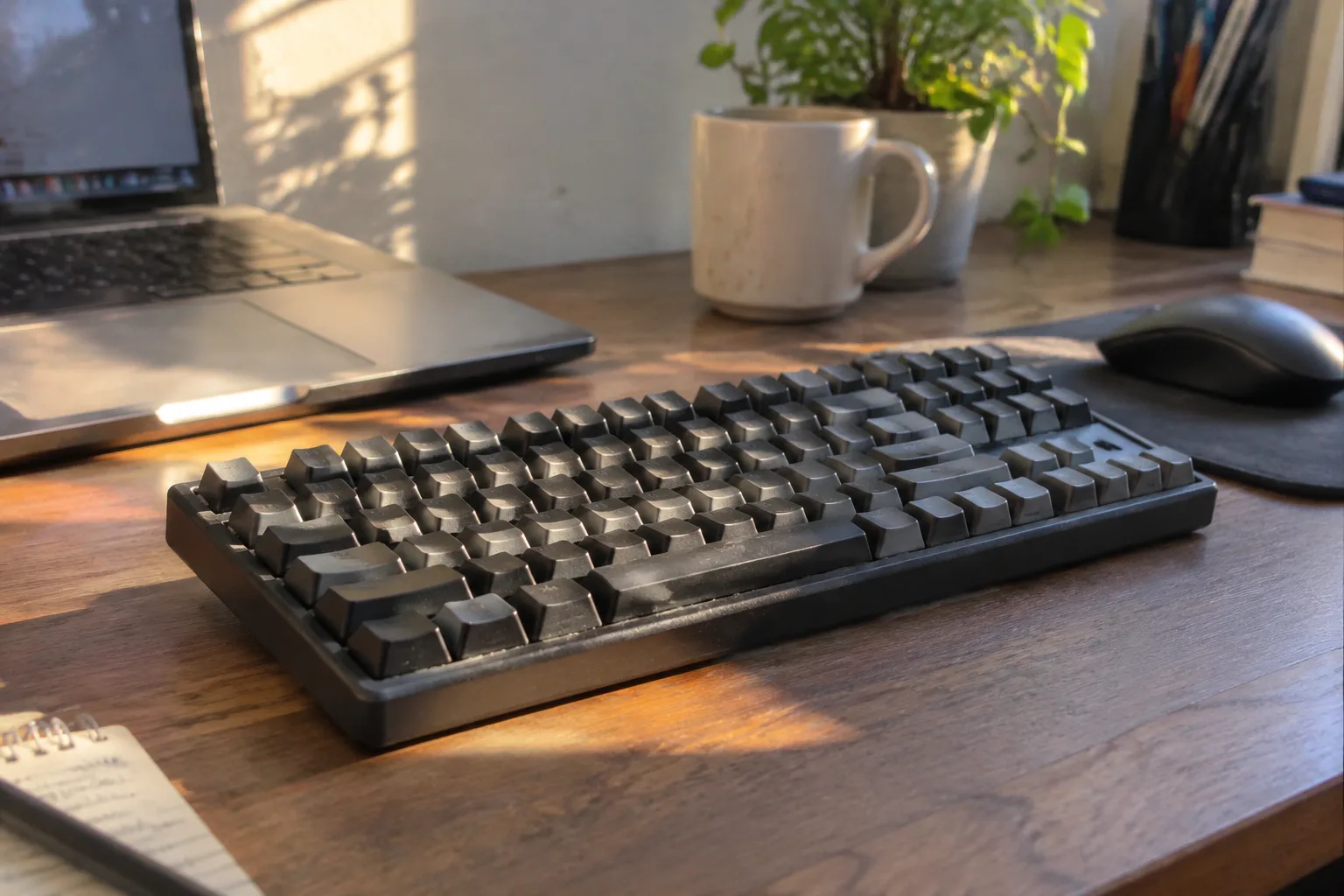
The open-plan office has a sound problem that nobody solves with a purchase order. Keyboards click. That click, multiplied by thirty people on deadline, becomes a weather system. Anyone who has sat near a mechanical keyboard enthusiast during a quiet afternoon knows the specific social pressure of that noise: the sideways glance, the Slack message asking if everything is okay, the slow realization that the loudest person in the room is also the most productive and therefore immune to complaint.
Buying a quiet mechanical keyboard is mostly an exercise in understanding which parts make noise and which parts only look like they do. The categories are simpler than the marketing suggests. A keyboard is a plate, a set of switches, a case, and some foam. Silence comes from the interaction of those four things, and no single specification on a product page captures it.
The switch is not the whole story
Switch marketing has trained buyers to look for a color. Red is linear, brown is tactile, blue is loud and clicky. That much is roughly true. Linear switches have no bump and no click, and they produce the least mechanical noise of any switch family. The quietest stock office keyboards tend to use linear switches with a light or medium actuation force, somewhere in the 35 to 45 gram range, because lighter springs mean the finger does not have to slam the keycap into the bottom of its travel.
But a silent switch in a hollow plastic case still sounds like someone tapping a pencil on a table. Bottom-out noise, the thud when the key reaches the end of its stroke, is a property of the whole assembly. So is the high-frequency ping that comes from cheap stabilizers on the spacebar. A buyer can spend a premium on silent linear switches and still end up with the loudest board on the floor if the case resonates.
Silent switches do exist as a distinct product category, and they are worth the premium for office use. Manufacturers build them by adding small rubber dampers to the stem, one at the top of the travel and one at the bottom. The result is a soft, muted landing with almost no sharp transient. The trade-off is a slightly mushy feel and, on some models, a faint squish on the upstroke. For a shared office, that trade is easy to accept.
Case material changes the pitch
Aluminum cases look serious and sound bright. The metal rings. A keystroke in a thin aluminum tray produces a resonant, slightly metallic report that carries across a room. Plastic cases, especially thick ABS or polycarbonate, absorb more of that energy and produce a duller, shorter sound. This is why some of the least expensive quiet keyboards outperform expensive aluminum boards in a library-quiet room.
Gasket mounting has become the default recommendation for quiet builds, and the logic holds. Instead of screwing the plate directly to the case, the plate sits on rubber or foam strips, so the whole assembly floats. Keystroke energy gets absorbed by the mounting rather than transmitted into the case. The typing feel is softer and the sound is lower in pitch. A gasket-mounted board with silent switches and a plastic case is close to the practical floor of mechanical keyboard noise.
There is a cost to this approach. Softer mounting and damped switches produce a typing experience that some people describe as pleasant and others describe as vague. Someone who types for eight hours a day and relies on crisp feedback may find the mushiness distracting after a week. The right answer depends on whether silence is the primary requirement or a secondary one.
Foam is cheap and effective
A surprising amount of keyboard noise comes from empty space. The cavity between the PCB and the bottom of the case acts like a small drum, and every keystroke excites it. Case foam, a sheet of dense polyurethane cut to fit that cavity, kills most of it. Plate foam sits between the plate and the PCB and does a similar job for higher frequencies.
Many boards now ship with foam installed. Others leave it out to keep costs down, and the aftermarket sells pre-cut kits for common models. Anyone buying a board that lacks foam should budget for a ten-dollar sheet and twenty minutes with a screwdriver. The difference is not subtle. The same switches in the same case, with and without foam, sound like two different products.
Foam does add weight and can trap heat, though neither matters much in a keyboard. It also slightly changes the feel by reducing the resonance that some enthusiasts prize. For office work, that resonance is exactly the thing to eliminate.
Keycaps and stabilizers make the sharp sounds
Most of the sounds that travel across an office are high-frequency. Low thuds die out quickly; sharp clicks and rattles carry. Two components generate most of the sharp noise: the keycaps and the stabilizers.
Thin ABS keycaps, the default on many budget boards, are light and hollow and produce a thin, clicky report. Thick PBT keycaps are denser, and the sound they make is lower and shorter. Doubleshot PBT with a wall thickness around 1.5 mm is the standard recommendation for quiet builds. They cost more, but they also last longer and resist the shine that develops on cheap ABS after a few months of typing.
Stabilizers are the hidden culprit. The spacebar, shift keys, enter key, and backspace all use metal wires to keep long keys level. Cheap stabilizers rattle, and the rattle is one of the most irritating sounds a keyboard can produce because it happens on the largest, most-used keys. Lubricating the stabilizer wire and its housing with a thick grease quiets it dramatically. Many boards ship with unlubed stabilizers, and a small tube of dielectric grease costs less than a sandwich.
Layout affects how far sound travels
A full-size keyboard puts the mouse hand far to the right, which pushes the elbow out and changes the angle of the wrist. That is an ergonomic issue, but it has an acoustic side effect: a person who has to reach further tends to strike harder. Compact layouts, especially 75 percent and tenkeyless, keep the hands closer together and reduce the force needed to move between keyboard and mouse.
The trade is losing the number pad. Anyone who enters figures all day will miss it, and no amount of quiet matters if the work slows down. A separate number pad, kept in a drawer and pulled out when needed, is the usual compromise. It also keeps the desk quieter during the parts of the day that do not involve data entry.
Hot-swap sockets pay for themselves
Switch preference is personal, and it changes. A board with hot-swap sockets lets the switches be replaced without soldering, which means a buyer can start with one set and swap to something quieter or louder later. Given that silent switches feel different from standard ones and that the feel is the main reason people abandon a keyboard, the ability to experiment without buying a new board is worth a small premium.
Hot-swap also extends the life of the board. When a switch develops a chatter or a dead spot after a few years, a replacement costs pennies and takes a minute. Soldered boards go in the bin or onto a repair bench.
What the spec sheet leaves out
No product page lists decibels, and the few that do use measurements taken in conditions no office reproduces. Sound depends on the desk surface, the distance to walls, whether the floor is carpeted, and whether the person types with heavy or light hands. A board that sounds quiet in a carpeted bedroom can sound loud on a glass desk in a corner office.
The practical move is to buy from a retailer with a return policy and test the board in the actual room. Failing that, reviews that include sound recordings are more useful than any specification. Listening to a recording is imperfect, but it catches the rattle, ping, and hollow resonance that a list of features cannot describe.
One more consideration that rarely appears in buying guides: office acoustics punish inconsistency more than volume. A steady, low-level clatter fades into the background within minutes. An intermittent sharp click, the kind produced by one bad stabilizer on the spacebar, pulls attention every time it happens. A board with a single rattling key is more disruptive than a board that is uniformly a little loud.
The desk mat is part of the instrument
A keyboard sitting directly on a hard desk transmits vibration into the surface, and the desk amplifies it. A large cloth or felt desk mat under the keyboard absorbs that energy and lowers the perceived volume noticeably. It also protects the desk and gives the mouse a better surface. For the price of a lunch, a desk mat is the single cheapest acoustic improvement available, and it works on any keyboard regardless of switches or case.
A buyer who has followed the chain, silent linear switches, a gasket-mounted plastic case, foam in the cavity, thick PBT keycaps, lubricated stabilizers, and a desk mat, will end up with a board that a colleague two desks away cannot hear over the HVAC. The total cost can stay under a hundred and fifty dollars if the board is chosen carefully. The result is a keyboard that disappears into the background of the office, which is exactly what a tool for shared work should do.