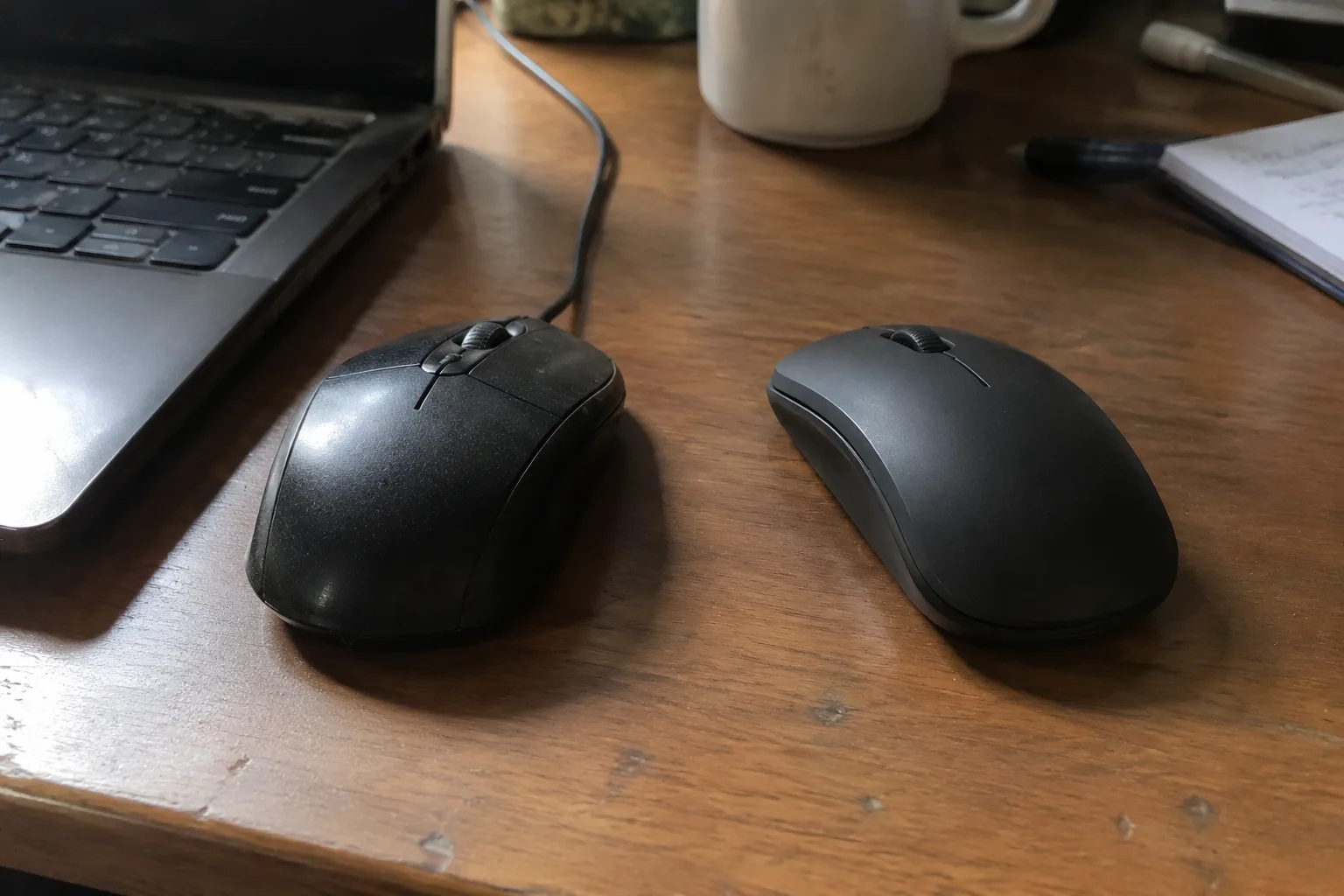
A wireless mouse is a small thing to get wrong, and most office workers get it wrong for a boring reason: they buy whatever was on sale, or whatever matched the laptop, or whatever the IT department handed over in a cardboard box. Six months later the cursor stutters during a screen share, or the battery dies in the middle of a client call, and nobody connects the annoyance to the purchase. The wired-versus-wireless question deserves better than that, because the two formats fail in completely different ways, and the failure a person can live with depends entirely on what their desk actually looks like.
Start with the physical difference, because it drives everything else. A wired mouse has a cable running from its nose to a port. That cable is a leash: it limits reach, it snags on the corner of a keyboard, it adds a faint springy tug to every sweep across the pad. It also supplies power forever and transmits data with zero interference. A wireless mouse has none of that drag. It has a battery or a charging circuit, a radio link, and a receiver or a Bluetooth pairing that occasionally needs babysitting.
The honest verdict, before any nuance: for the majority of desk-bound office work, a wireless mouse is the better tool. The cable is a real, daily, physical irritation, and the wireless downsides are mostly manageable with a little discipline. But the majority is not everyone, and there is a specific kind of office worker who should keep the cord.
The cable tug nobody notices until it is gone
Watch someone use a wired mouse for ten minutes and the cable reveals itself. The mouse reaches the left edge of the pad, the cord pulls taut against the desk, and the hand compensates by lifting the mouse slightly or shifting the whole arm. It is a tiny correction, repeated hundreds of times a day. Nobody thinks about it. The body just absorbs it.
Then the same person uses a wireless mouse for a week and goes back to the cord, and the desk suddenly feels sticky. That is the strongest argument for wireless, and it has nothing to do with specifications. It is about friction. A mouse that moves freely across the full width of the pad, in any direction, without a tether deciding where it can go, simply feels better in the hand.
For spreadsheet work, this matters more than it sounds. A finance analyst dragging a formula across twelve columns needs a long, clean horizontal sweep. A wired mouse with a short cable and a receiver jammed into the back of a desktop tower will fight that sweep. A wireless mouse will not.
Where the cord quietly wins
There is a set of office jobs where the wired mouse is not a compromise but the correct answer. The clearest case is the shared or hot-desked workstation. A mouse with no battery and no pairing cannot be dead when the next person sits down, cannot be paired to the wrong laptop, and cannot walk off with a receiver that lives in someone's bag.
Call centers and dispatch desks fall into the same category. These are stations where a mouse sits on a desk for eight hours a day, every day, and where a dead battery during a live call is a genuine operational problem. A cord eliminates that entire class of failure. So does a cheap wired mouse's other virtue: it costs less, which matters when an office is outfitting forty seats at once.
There is also the security-sensitive desk. Some IT policies forbid Bluetooth and wireless receivers outright in certain rooms, and a wired mouse sidesteps the argument entirely. It is not glamorous. It is reliable in a way that a wireless mouse has to earn.
The battery problem is smaller than its reputation
The classic objection to wireless mice is the dead-battery sprint to a drawer. That objection has aged badly. Modern wireless office mice run for months on a single AA, and rechargeable models often go weeks between charges. The failure mode is real but infrequent, and it is easy to defuse: keep a spare battery in the desk drawer, or plug the mouse in for twenty minutes at lunch.
The more annoying battery problem is the mouse that recharges through a cable plugged into its front, turning a wireless mouse into a wired one at exactly the moment its cable is least convenient. A mouse charged through a dock or a rear port avoids that. It is a small design detail that separates a good wireless mouse from a frustrating one.
Interference, latency, and the difference between office and gaming
Wireless mice carry a reputation for lag that mostly belongs to a different era and a different market. Modern 2.4 GHz receivers and Bluetooth connections are perfectly responsive for word processing, email, spreadsheets, and video calls. The people who genuinely need to worry about millisecond latency are competitive gamers, and they are not the audience for an office mouse discussion.
The real wireless weakness in an office is interference. A dense office with dozens of laptops, phones, and wireless headsets can crowd the 2.4 GHz band, and a cheap receiver in a crowded room may stutter. Bluetooth has its own quirks, including occasional reconnection delays when a laptop wakes from sleep. These are intermittent annoyances, not daily ones, but they exist, and a wired mouse never has them.
Ergonomics decide more than the cable does
The wired-versus-wireless debate is a distraction from the factor that shapes a workday far more: the shape of the mouse against the hand. A person who grips a mouse for six hours will feel the difference between a sculpted ergonomic shell and a flat travel mouse long before they notice a cable. Wrist and forearm comfort depend on the angle of the hand, the height of the arch, and whether the thumb has somewhere to rest.
This cuts both ways. There are excellent ergonomic wired mice and excellent ergonomic wireless mice, and a person should pick the shape that fits their hand first, then decide on the cable. Buying a beautiful wireless mouse that is too small for the palm is a worse decision than buying a boring wired mouse that fits.
Desk clutter and the laptop-bag test
A wireless mouse removes one line from the desk, and on a small home-office table that line can be the difference between a clean surface and a nest. For anyone working from a kitchen table or a converted closet, wireless is close to mandatory simply because there is no room for a cable to route anywhere sensible.
The laptop-bag test points the same direction. A commuter who carries a laptop between home and office needs a mouse that travels, and a wireless mouse with a tiny receiver stored in its battery compartment is the obvious choice. A wired mouse in a bag means a coiled cable tangling with chargers and headphones. Portability favors wireless without much argument.
The hybrid compromise and when it makes sense
A growing category of mice offers both: a wireless connection for daily use and a USB-C cable for charging that also carries data. These hybrid mice are genuinely useful for the office worker who wants freedom most of the time but wants a guaranteed connection during a critical presentation. Plug in before the meeting, unplug after.
The catch is that hybrid mice often cost more and carry more complexity, and complexity is its own risk. A simple wired mouse has one thing that can go wrong. A hybrid mouse has a radio, a battery, a charging circuit, and a cable. More parts, more failure points, and a higher price for the privilege.
A practical way to choose by desk, not by spec sheet
The cleanest way to decide is to describe the desk and the day. A fixed desk with a desktop tower, a person who never travels, and a preference for zero maintenance points to a wired mouse. A shared workstation or a call center points to wired for the same reason. A laptop that moves between rooms, a small table, and a preference for a clean surface point to wireless.
Between those poles, most office workers land on wireless, and they should. The cable's daily friction is real and constant, while the wireless mouse's weaknesses are occasional and mostly preventable with a spare battery and a receiver kept away from a crowded USB hub.
The one group that should ignore this advice is the group that has already found a mouse whose shape fits their hand perfectly. If that mouse happens to be wired, keep it. A cable is a small tax. A mouse that hurts the wrist after two hours is a much larger one, and no amount of wireless freedom compensates for a hand that aches by mid-afternoon.


