Two hundred dollars. That is roughly what a decent 1080p webcam cost in the spring of 2020, when everyone with a job and a laptop suddenly needed one, and the supply chain had nothing to give them. The market has since calmed down. Prices for a genuinely usable webcam now sit between thirty and eighty dollars, and the difference between the cheap one that makes a person look like a hostage video and the cheap one that makes them look like a competent professional is smaller than most buyers expect.
The gap between a laptop's built-in camera and a dedicated webcam is the part worth understanding first, because it explains everything else. Laptop cameras have spent the last decade getting thinner and worse. A 720p sensor squeezed into the top bezel of a machine designed to close flush has almost no light to work with, which is why every video call from a laptop looks like a broadcast from a dim basement. The sensor is small, the lens is plastic, and the processor on the motherboard is busy running spreadsheets. A fifty-dollar webcam, even a mediocre one, fixes most of that simply by existing outside the laptop chassis with a real lens and a sensor that can absorb light.
Three names dominate this price bracket: Logitech, Razer, and a rotating cast of Anker, Microsoft, and older Creative models. Logitech has been the default since the C920 arrived in 2012 and refused to die. The specific models that matter for a budget buyer are the C270, the C310, the C920s, and the C925e, plus whatever Logitech has replaced them with in a given region. The naming is a mess. The cameras mostly are not.
The Fifty-Dollar Floor and Where It Actually Sits
The C270 is the cheapest thing worth buying. It shoots 720p at 30 frames per second, has a fixed focus, and a plastic body that feels like a travel alarm clock. It is also the camera that has been clipped to the top of more monitors in more offices than any other model, and it works. The image is soft. The color is slightly green. But the microphone is surprisingly serviceable, and at thirty to forty dollars it will turn a pixelated laptop feed into something coherent in under a minute of setup.
Below that price, the market fills with generics from brands that appear and vanish on storefronts. Some of them are fine. Most of them have the same problem: an autofocus that hunts back and forth during a call, or a microphone that picks up the fan in the laptop beside it. The floor for a camera that will not embarrass its owner on a job interview sits around thirty-five dollars. Below that, the buyer is gambling on a no-name sensor and a driver that may or may not install.
The C310 is the next rung up, usually ten to fifteen dollars more than the C270 and worth every penny of the difference for one reason: it handles low light better. The sensor is not dramatically larger, but the firmware does a smarter job with what it gets, and a person sitting in a room lit by a single overhead bulb looks human rather than spectral. The mount is a plastic clip that folds flat, which matters more than it sounds for anyone who travels with a laptop.
Why the C920 Still Refuses to Retire
The C920s is the camera that budget buyers keep being told to buy, and the advice is not wrong. It shoots 1080p at 30 frames per second, has a glass lens, and the autofocus is fast enough that it does not visibly hunt during a normal conversation. The wide field of view captures a person and a bit of the room behind them without the fisheye distortion of cheaper wide lenses. It costs sixty to seventy dollars on a normal day and has been on sale for fifty during every major retail holiday since roughly 2015.
The reason it persists is that the image quality has not been meaningfully beaten at the price. Logitech's newer cameras, including the C925e and the various Stream models, are refinements of the same formula with better software support and slightly nicer microphones. The C920s remains the reference point because it was the first cheap camera that looked genuinely good on a compressed video call, and the compression algorithms that Zoom and Teams use have not gotten so demanding that it has fallen behind.
There is one real caveat. The C920s ships with a privacy shutter, which is a small plastic flap that slides over the lens. The older C920 does not. Buyers should check which version they are getting, because the two models are frequently listed side by side at confusingly similar prices, and the shutter is the only meaningful difference.
The Razer Kiyo and the Ring Light Question
Razer's Kiyo is the most interesting budget option for a specific reason: it has a built-in ring light. The light is small, sits around the lens, and can be dialed through a few brightness levels with a twist of the bezel. For anyone who takes calls in a room with bad overhead lighting and no window, the Kiyo solves two problems at once. The camera itself is a 1080p sensor that performs slightly below the C920s in good light and slightly above it in bad light, which is the entire point.
The Kiyo costs around seventy to eighty dollars, and the price is justified only if the ring light will actually get used. A buyer who already has a desk lamp angled at the wall behind the monitor, or a window to one side, is paying for a feature that will sit dark. The light is also harsh and produces a flat, even wash that some people find clinical. It flatters skin. It does not flatter a room.
The Kiyo Pro is the upgrade, at around a hundred and thirty dollars, and it falls outside a strict budget definition. Worth mentioning only to say that the standard Kiyo is the one that belongs in this conversation, and the Pro is a different camera for a different buyer.
Anker's Quiet Case for the PowerConf C200
Anker sells the PowerConf C200 at around sixty dollars, and it is the camera that most budget guides underrate. It shoots 2K, which is more resolution than any video call will use, but the practical benefit is that the 1080p output is downsampled from a larger sensor, which produces a cleaner image with less noise in moderate light. The lens is glass. The mount is a sturdy clip with a tripod thread on the bottom, which is rare at this price.
The software is the weak point. Anker's desktop app is functional and no more, and the camera's default color profile leans slightly cool. A few minutes in the app will fix it. The microphone is adequate for a single speaker in a quiet room and will struggle in a shared office or a kitchen. For a buyer who already owns a headset or a decent USB microphone, that tradeoff is easy to accept.
What Actually Matters in a Video Call Image
Resolution is the least important specification in this price bracket. Every camera discussed here outputs 1080p or close to it, and video conferencing platforms compress the stream down to something closer to 720p anyway. A 4K webcam on a budget is a marketing claim, not a practical advantage, because the compression will throw away most of the extra pixels before the other end ever sees them.
Light handling is the specification that matters. A camera with a small sensor and good firmware will outperform a camera with a larger sensor and bad firmware in the dim corner of a living room where most calls actually happen. This is why the C270, with its ancient 720p sensor, still beats many newer no-name cameras: Logitech's processing has had a decade to be tuned for exactly this use case.
Field of view is the second thing to check. A camera that shoots too wide will make a person's face small in the frame and pull in the laundry basket behind them. A camera that shoots too narrow will crop the top of the head during a natural lean. Somewhere between 65 and 78 degrees diagonal is the comfortable range for a single person at a desk, and most of the cameras here sit in it. The C920s is slightly wide at 78 degrees, which is why it captures a bit of the room; the Kiyo is narrower and frames the face more tightly.
Frame rate matters less than the spec sheet suggests. Thirty frames per second is fine for a talking head. Sixty is nice for anyone who gestures a lot, but the compression on most platforms will drop it back to thirty anyway. A buyer should not pay extra for 60fps unless the camera is also being used for streaming or recording, where the local file keeps the full frame rate.
The Microphone Problem Nobody Prices In
Every webcam in this bracket has a built-in microphone, and every one of those microphones is worse than a twenty-dollar standalone USB mic. The cameras pick up keyboard clatter, HVAC hum, and the echo of an empty room. The C920s and the Kiyo are the best of the bunch, and they are still only adequate for a quiet home office with a soft ceiling and no hard floors.
A buyer budgeting fifty to eighty dollars for a camera should consider whether the total should be split differently. A thirty-five dollar C270 plus a twenty-five dollar USB microphone will produce a better call than an eighty-dollar camera using its internal mic, provided the buyer is willing to have two devices on the desk. The camera handles the image. The microphone handles the sound. Neither device has to be excellent if each is doing only its own job.
The exception is portability. A person who moves between a home desk and a coworking space and a hotel room wants one device, not two, and the C920s or the Kiyo will do the whole job in a bag. That convenience is worth the audio compromise for a certain kind of buyer, and not for others.
Mounting, Cables, and the Small Frictions
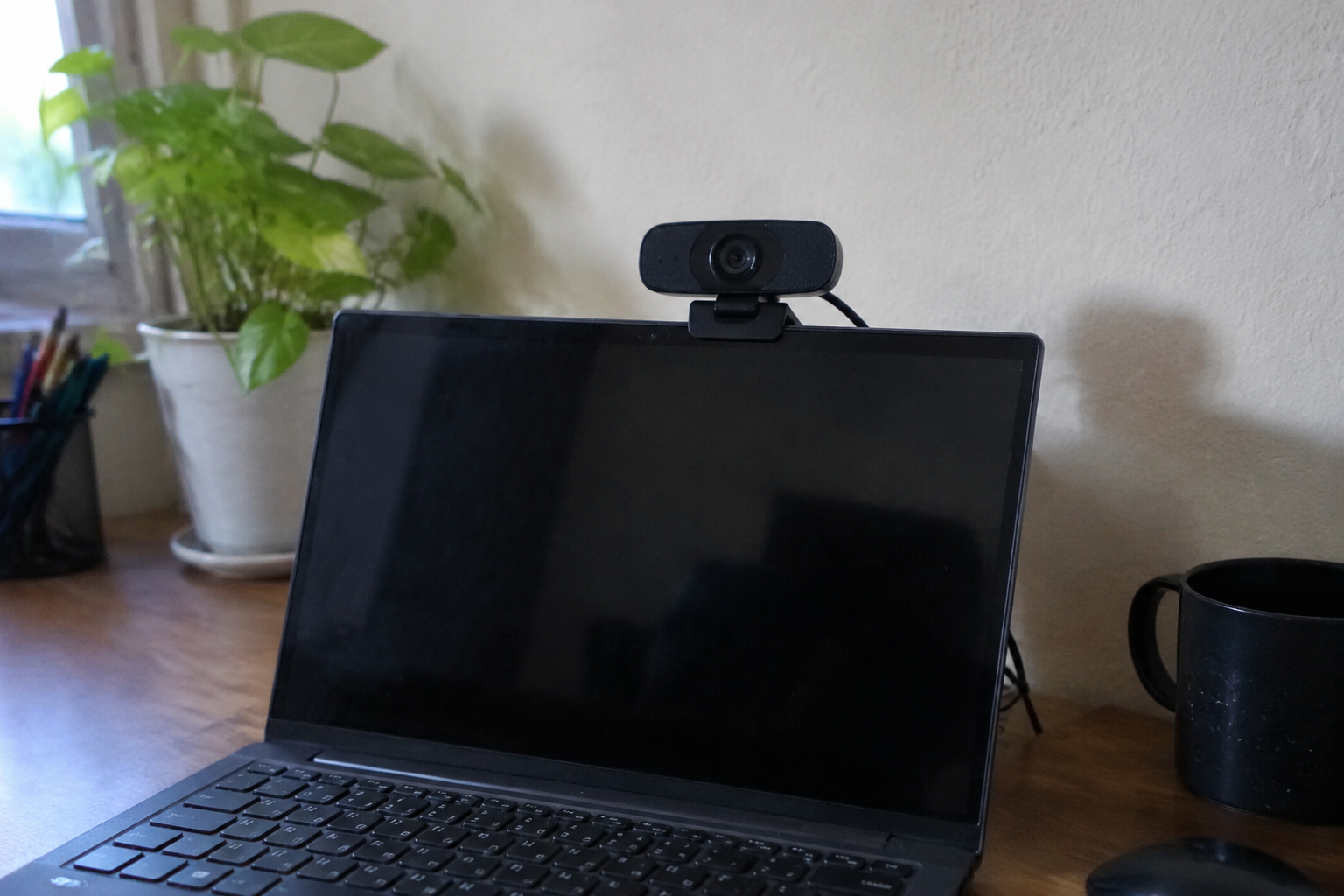
Most budget webcams ship with a clip that folds over the top of a monitor and a short USB cable. The clip is fine on a laptop screen and marginal on a thin-bezel desktop monitor, where it tends to slide. The cable is usually around five feet, which is barely enough to reach from the top of a monitor to a tower on the floor. Buyers should check the cable length before ordering, because a three-dollar USB extension is the difference between a clean setup and a camera dangling by its cord.
Privacy shutters are worth having. The C920s includes one. The C270 and C310 do not, and a small stick-on slider costs a few dollars. Anyone who works in a shared space or takes calls from a bedroom will want one, and the cameras without a built-in shutter are not disqualified, just slightly more annoying to set up.
The C925e, Logitech's business-oriented model, sits around eighty to ninety dollars and includes a privacy shutter, a slightly better microphone, and a mount designed for tripods. It is the camera to buy when the budget stretches and the buyer wants something that will survive being unclipped and reclipped every day. For a fixed desk setup, the C920s is the better value.
The Case for Buying Used
The C920 has been in production for over a decade, and the secondary market is full of them. A used C920 in good condition sells for thirty to forty dollars on resale sites, which puts a camera that was a luxury in 2013 into the same price band as a new C270. The risk is low: the cameras are durable, the drivers are universal, and the main things to check are the lens (scratches) and the cable (fraying near the connector).
This is the single best move for a budget buyer who is willing to spend ten minutes on a resale listing. A used C920s at forty dollars outperforms a new no-name 4K camera at the same price by a wide margin, because the Logitech sensor and firmware are known quantities and the no-name camera is a lottery ticket. The only reason to buy new is the warranty, and a webcam is one of the few electronics where the failure rate in the first year is low enough that the warranty is close to worthless.
The one exception is the microphone. A used webcam's microphone may have been abused, and there is no easy way to test it before purchase beyond asking the seller to record a sample. Buyers who plan to use the internal mic should lean toward new, or toward a seller with a clear return policy.
Where the Money Should Actually Go
A buyer with fifty dollars should buy a used C920s or a new C310, depending on whether they can wait for a resale listing. A buyer with seventy should buy a new C920s. A buyer with ninety who takes calls in a badly lit room should buy the Kiyo. A buyer with sixty who already owns a good microphone should buy the Anker C200. Those four sentences cover most of the market, and the rest of the decision is about lighting and mounting rather than about the camera itself.
The camera is the smallest part of what makes a video call look professional. A fifty-dollar webcam pointed at a face lit by a window will beat a two-hundred-dollar webcam pointed at a face lit by a ceiling bulb, every time. The budget buyer who understands that will spend less and look better than the buyer who chases specifications. The best cheap webcam is the one that gets clipped to a monitor in a room with decent light, and the rest is a matter of which logo is on the plastic.