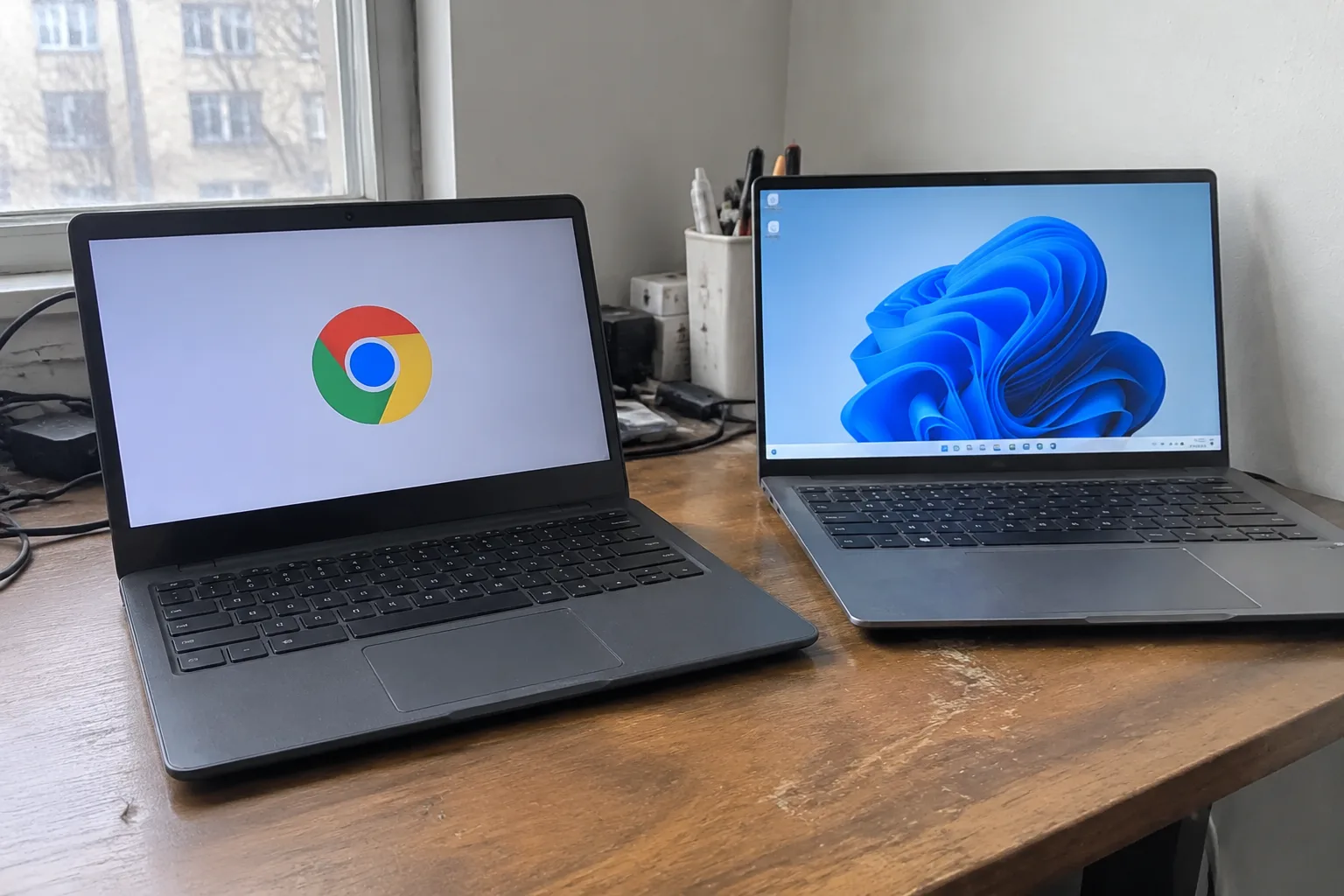
Chromebooks make up a small slice of the laptop market, and the buyers who end up happiest with one are rarely the ones a salesperson would guess. The device looks like a stripped-down laptop. In practice it is a machine built around a browser, and that single fact decides nearly everything about who should own one.
The case for ChromeOS rests on a trade. The operating system gives up local software, deep file management, and the ability to run heavy applications. It returns a machine that boots in seconds, updates itself without drama, survives a drop in a school bag, and costs less than most Windows alternatives. For the right person that trade is excellent. For the wrong one it is a slow, grinding frustration that ends in a return.
The student who lives inside a browser tab
A large share of schoolwork now happens online. Assignments arrive through a learning management system, essays get written in a web editor, research runs through a search engine and a handful of library databases. A Chromebook handles all of it, and it handles the surrounding logistics better than a budget Windows machine: instant wake from sleep, a battery that lasts a full day of classes, and a price low enough that a lost or broken unit is a nuisance rather than a catastrophe.
The catch is the major that requires installed software. Engineering students running CAD, music students using a digital audio workstation, statistics students with a licensed package that only ships for Windows or macOS. Those buyers should walk past the Chromebook shelf without slowing down. The students who write, read, research, and collaborate in shared documents are the ones the machine was designed for.
Households that treat a laptop as a shared appliance
In a family with several people cycling through one device, the Chromebook's account system does quiet, unglamorous work. Each person signs in and gets a separate space. A child cannot easily wander into a parent's files. When someone forgets to sign out, the next person signs in and the previous session sits behind its own password.
This is the laptop that lives on the kitchen counter. It gets used to check a school portal, order groceries, print a permission slip, and watch a video while dinner cooks. Nobody installs anything. Nobody manages drivers. The machine turns on, does the small job, and goes back to sleep. A Windows laptop in the same spot would collect update prompts and stray toolbars within a year.
The traveler who wants a second machine, not a replacement
A frequent flyer with a heavy work laptop at home often wants something lighter for the trip itself. A Chromebook fits that role well: thin, cheap enough to leave in a hotel room without real worry, and capable of email, web check-in, and a video call. It is the machine that goes in the carry-on when the real computer stays at the desk.
The limits show up fast on the road. Photo editing from a camera card, a client presentation built in desktop PowerPoint, a VPN client that only exists for Windows. The traveler who needs any of those should bring the work laptop and accept the weight.
Offices running web-first tools
A growing number of workplaces run on browser-based software: a web mail client, a shared document suite, a ticketing system, a chat app. In that environment a fleet of Chromebooks is cheap to buy, cheap to manage, and hard to break. An IT department can enroll a hundred units, push settings from a dashboard, and wipe a departed employee's device remotely. Lost machines become a line item rather than a security incident.
The office that still depends on a desktop accounting package, a legacy intranet portal, or an industry-specific Windows application should not switch. The migration cost will swallow the hardware savings. The honest test is a single question: can every task in a normal week be finished in a browser? If the answer is yes, the Chromebook is the cheaper, calmer choice.
Older buyers who want fewer decisions
For someone who mainly reads news, answers email, video-calls family, and browses a favorite shopping site, the Chromebook removes a category of trouble. There are no antivirus pop-ups to dismiss, no driver updates, no slow accumulation of startup programs dragging the machine down. The interface stays close to what it was on day one.
That simplicity has a sharp edge. A person who has used Windows for twenty years and depends on a specific desktop program, a local photo library, or a printer with a cranky driver will find the transition jarring. The device rewards people who are comfortable with the idea that the browser is the computer. It punishes anyone who expects the old desktop model to still be underneath.
Where the Windows laptop still wins outright
The buyers who should not consider a Chromebook form a clear list. Anyone running professional creative software, from video editing to illustration to music production. Anyone whose work depends on a licensed Windows application that has no web equivalent. Anyone who needs to manage large local file libraries, run virtual machines, or connect specialized hardware.
Gamers belong on that list too. The library of games that runs natively on ChromeOS is thin, and the streaming workarounds depend on a good connection and a subscription. A Windows laptop with a real graphics chip remains the only sensible choice for someone who wants to play locally.
The specification that actually matters
Shopping for a Chromebook is simpler than shopping for a Windows laptop, and buyers still manage to get it wrong. The processor matters less than the amount of memory and the quality of the screen. Four gigabytes of RAM is a false economy on a machine that keeps many tabs open; eight is the floor for comfortable use, and more helps on the models meant to last several years.
The screen is where budget models cut hardest. A panel with poor brightness and narrow viewing angles makes a cheap laptop feel cheaper every time it is opened. Buyers who plan to read and write for hours should look at the display before the processor, and should not assume the cheapest listing is the smartest one.
What the low price hides
A Chromebook's sticker price is honest about the hardware but quiet about the long tail. The device assumes a reliable internet connection for most of what it does. Offline mode exists, and it works for a subset of tasks, but a buyer with a flaky connection or a habit of working on trains will feel the gap.
There is also the question of how long the machine stays useful. Chromebooks receive automatic updates for a set period from the manufacturer, and when that window closes the device stops getting security fixes. Buyers should check that date before purchase. A deeply discounted model near the end of its support life is a trap dressed as a bargain.
The buyer who should walk out with one
Picture the person who ends up genuinely happy with the purchase. The work happens in a browser: documents, mail, a calendar, a video call, a research tab. The software library is small and web-based. The budget is tight, the bag is small, and the priority is a machine that turns on instantly and never demands attention.
That person should buy the Chromebook and skip the Windows aisle entirely. Everyone else should be honest about the one program they cannot live without, because that program is the whole decision. A laptop purchase is really a bet about what the next few years of work will look like, and the Chromebook is a confident bet that most of it will happen inside a tab.