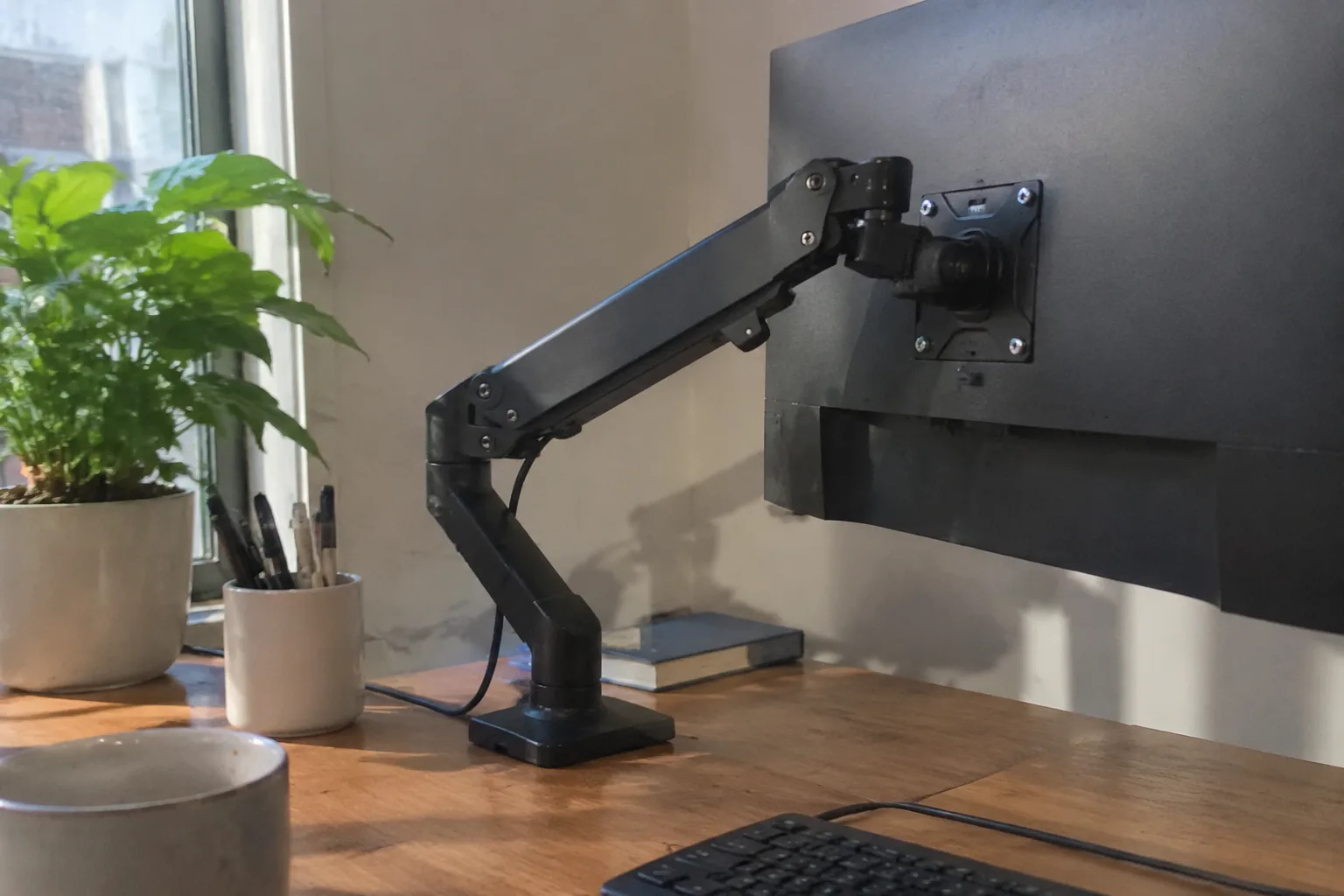
The desk rises, the monitor does not, and a person ends up looking down at a screen while standing up, which defeats the entire point of the purchase. That is the failure mode a monitor arm is meant to eliminate, and it is also the reason the arm deserves more scrutiny than the desk itself. A standing desk is a fairly dumb object: a motor, a frame, a flat top. The arm is where the mechanical intelligence lives, and a bad one will sag, wobble, or drift out of position until the whole setup feels like a mistake.
The market is crowded with arms that look nearly identical in product photos and behave nothing alike in a room. Weight capacity is the first specification worth reading and the least useful on its own. A mount rated for 8 kg will hold an 8 kg monitor at the moment of installation and may hold it at the same height six months later, or may not. The rating describes a static load, and a monitor on a moving desk is not a static load.
Gas springs are the deciding component in most mid-range arms. They are pressurized cylinders that counterbalance the weight of the screen, letting a hand push it up or down and letting it stay where it is released. A gas spring calibrated for a 7 kg monitor and loaded with a 4 kg one will drift upward on its own, slow and deliberate, like a balloon on a string. Loaded with a 9 kg one, it sinks. The adjustment screw on the joint exists to close that gap, but the gap has limits, and arms with a narrow rated range leave little room to work.
The pole height must clear the desk's top travel
A desk that rises from 70 cm to 120 cm carries the arm with it, which means the arm's clamping point travels through half a meter of vertical space. A pole-mounted arm with a short column can run out of height at the top of the desk's range, forcing the monitor down at exactly the moment the desk has done its job. This is easy to check before buying and almost never checked: the pole plus the arm's reach should place the screen's center at eye level when the desk is at standing height, not sitting height.
Clamp depth matters for a related reason. Standing desks often have a crossbar or a thick apron under the top, and a clamp that needs 6 cm of clear edge will not fit where the frame intrudes. Measuring the underside of the desk at the intended clamp location takes two minutes and prevents a return shipment. Some arms ship with both a clamp and a grommet mount; the grommet option is worth keeping in reserve for desks with a cable hole near the rear edge.
Reach is the number that decides whether the screen can actually move
An arm's reach, usually given as a range in millimeters, describes how far the screen can travel from the mounting point. A 45 cm reach on a desk 75 cm deep puts the screen roughly in the middle of the work surface at full extension. A 60 cm reach allows the monitor to be pushed back against the wall or swung to the side for a second task. The difference sounds minor and is not: reach is what lets a standing desk setup accommodate a keyboard tray, a document, or a second person leaning in to look at the same screen.
Reach and stability trade against each other. Long arms flex. A 70 cm arm holding a 27 inch monitor at full extension will show a visible tremor when the desk is bumped, and the tremor compounds with every joint between the clamp and the VESA plate. Two-joint arms are the common compromise: enough articulation to position the screen, few enough joints to stay rigid. Three-joint arms with long segments look impressive in showroom photos and feel like a fishing rod in use.
VESA patterns and the adapter problem
Most monitors use the 100 x 100 mm VESA pattern, and most arms include a plate drilled for both 75 x 75 and 100 x 100. The complication arrives with monitors that recess their mounting holes into a curved back, or with all-in-one computers that use a proprietary bracket. An arm advertised as VESA compatible is compatible with the standard, and the standard is not universal. Checking the monitor's manual for the pattern and the depth of the recess before ordering saves the annoyance of a bracket that fits the arm and not the screen.
Ultrawide monitors deserve a separate warning. A 34 inch curved panel is wide, heavy, and front-heavy, with its center of mass well forward of the mounting plate. Arms rated for the weight will hold it, but the tilt joint often cannot. The screen droops forward over a few weeks, and no amount of tightening restores the angle. Manufacturers sometimes publish a separate maximum width alongside the weight rating for exactly this reason, and that number is worth more attention than the weight figure for anyone mounting a panel wider than about 30 inches.
Cable routing is a structural feature, not a nicety
Every arm carries at least two cables, power and display, and a standing desk moves those cables up and down several times a day. An arm with integrated channels and clips keeps the cables running along the linkage, where they bend gently and predictably. An arm without them leaves two cables dangling from the back of the monitor to the floor, and those cables will catch on the desk edge, snag on a chair, and eventually pull the monitor out of position. The channels are molded plastic and cost almost nothing to include. Their absence signals a cheap design throughout.
Check where the cables exit the arm near the clamp. A channel that ends abruptly at the joint forces the cable to make a sharp turn at the point of maximum flex, and display cables are not built for repeated tight bends. The good designs leave a generous loop at each articulation point and route the cable through a removable clip rather than a closed tunnel, so a cable can be replaced without disassembling the arm.
The desk itself imposes limits the arm cannot fix
A lightweight standing desk, the kind with a thin top and a single motor, flexes under load. An arm clamped to the rear edge adds leverage to that flex, and a monitor at full extension turns a small wobble into a visible sway. Heavier two-motor desks with a rigid frame absorb this far better. The arm and the desk are a system, and buying a stiff arm for a flexible desk is like putting good tires on a bent wheel.
Desk thickness sets another limit. Clamps are designed for tops between roughly 2 cm and 6 cm thick, and the thin tops common on budget standing desks sit at the bottom of that range. A clamp tightened against a 2 cm top with a hollow core can crush the surface or work loose. A small plywood shim, cut to the clamp's footprint and placed under the pad, distributes the load and costs nothing.
The joint that fails first is usually the tilt
Tilt holds the screen at the angle a person actually wants, slightly back from vertical, and it takes constant torque because the monitor's weight hangs forward of the pivot. Arms use either a friction washer tightened by a bolt or a small gas spring for this joint. Friction joints loosen with use and need periodic tightening; a joint that needs tightening every month is a maintenance item, and one that cannot be tightened enough is a design flaw. Gas-spring tilt holds its setting until it fails, then fails suddenly.
Swivel and rotation joints matter less for a single monitor and more for anyone who rotates a screen to portrait for reading. A rotation joint with a detent clicks into landscape and portrait and stays there. One without a detent drifts. The detent is a small thing that separates an arm designed by someone who used it from one designed to hit a price point.
What the warranty and the return window reveal about the build
Gas springs lose pressure, and the loss is not repairable by the owner. A five-year warranty on the spring tells a buyer something about the manufacturer's confidence in the seal. A one-year warranty on an arm that costs a third of the desk suggests the spring is the part expected to fail first, and it usually is. Return windows matter for a different reason: an arm is one of the few desk accessories where fit can only be confirmed by installing it, and a 30 day window covers the discovery that the clamp will not clear the frame.
The heaviest arm is often the better one. Steel linkage, a machined aluminum joint housing, and a substantial clamp all add grams and all add rigidity. An arm that feels light in the box will feel light on the desk, and lightness in this category is a synonym for flex. The difference between a 1.5 kg arm and a 3 kg arm is mostly metal in the places that resist motion, and that metal is what keeps a monitor still while a person types standing up.
A short list of measurements to take before ordering
Four numbers settle most of the decision. The monitor's weight without its stand, which is always lower than the shipping weight and always the number that matters. The VESA pattern and the depth of any recess around it. The standing height of the desk's top surface and the sitting height, since the arm must work at both. And the clear depth under the rear edge of the desk, measured at the clamp location, across the full width where the arm might sit.
With those four numbers written down, the specification sheet stops being a wall of numbers and becomes a checklist. An arm that clears the weight with margin, reaches the needed distance, fits the VESA pattern, and clamps to the available depth will do the job. The rest, the finish, the cable clips, the detents, decides whether it does the job pleasantly for the next five years. The desk can be adjusted after the fact. The arm, once the wrong one is bolted on, tends to stay wrong, sagging a little more each month while the person standing at the desk learns to look down again.


