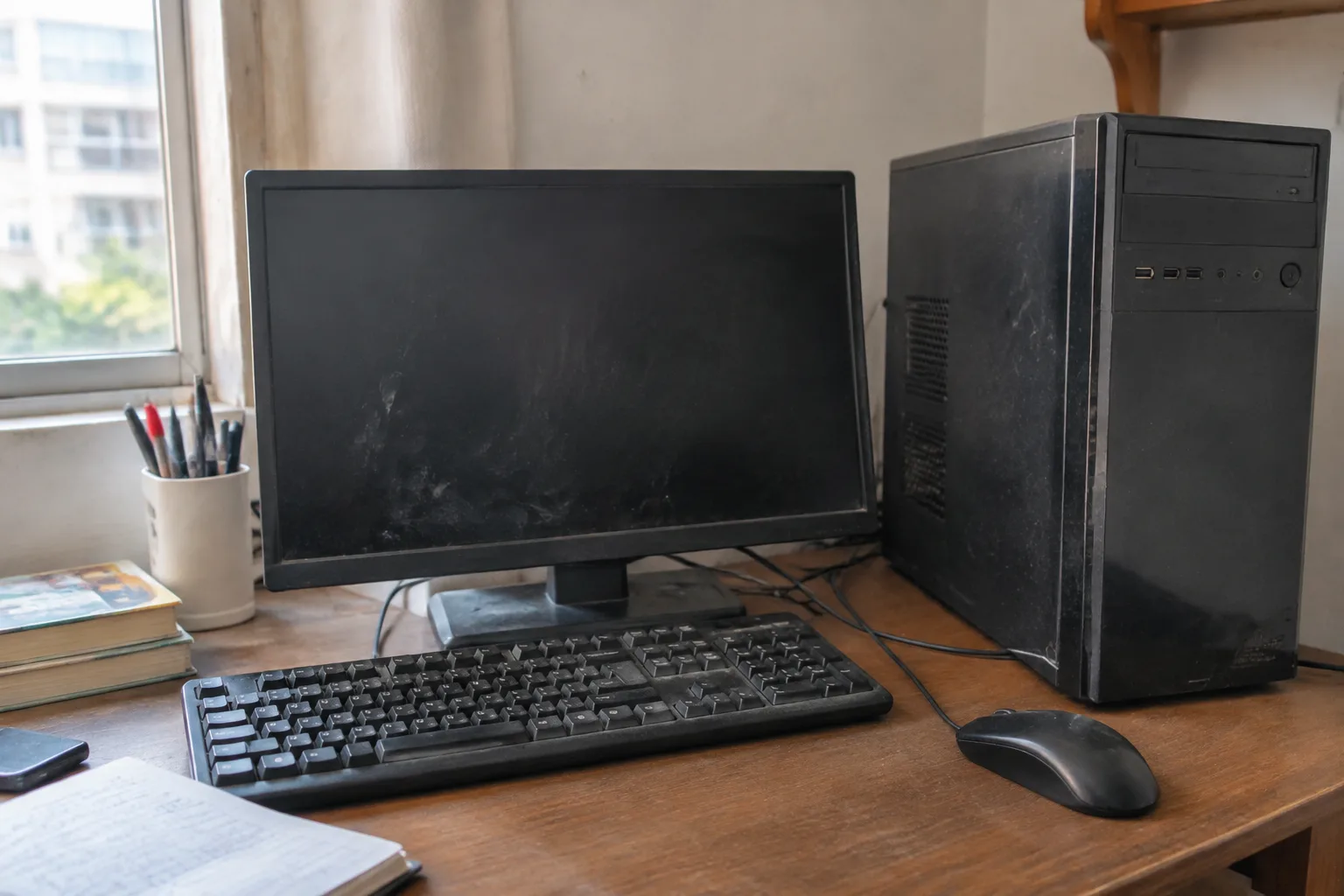
The desktop tower sitting on a folding table at a garage sale, tagged forty dollars, has a way of looking like found money. A monitor is often thrown in. The seller says it runs fine. It probably does, for the ten minutes it takes to get it home, plug it in, and discover that the hard drive makes a sound like a small animal chewing gravel.
Used desktops are one of the few remaining corners of the electronics market where a careful buyer can get genuinely useful hardware for a fraction of new prices. They are also a corner where the fast, hopeful buyer gets taken regularly, sometimes by outright fraud and more often by simple decay that nobody bothered to mention. The mistakes below are the ones that separate a good deal from a slow-motion refund dispute.
Treating the Power-On as Proof of Health
A machine that boots to the desktop has cleared the lowest possible bar. It tells a buyer almost nothing about the parts that fail first: the drive, the power supply, the memory under sustained load. A dying hard drive will happily boot on a cool morning and choke an hour into a file transfer.
The useful test takes twenty minutes, not twenty seconds. Ask the seller to leave the machine running while a few ordinary tasks are performed: open a browser with several tabs, copy a large folder to a USB stick, play a local video file. Watch for stutter, listen for the fans ramping up and never settling. A machine that sounds like a hair dryer after five minutes of light work is telling the truth about itself.
Skipping the Drive's Actual Condition
The storage drive is the part most likely to be on its last legs, and it is also the easiest part to inspect. On a Windows machine, the free utility CrystalDiskInfo reads the drive's self-monitoring data and reports a health status along with total power-on hours. A drive with tens of thousands of hours is not automatically bad, but it is old, and old drives fail without warning.
The nastier scenario is a machine sold with no drive at all, or with a drive wiped so clean that no history exists. That is not a dealbreaker when the price reflects it, since a new solid-state drive costs less than a nice dinner and transforms an old tower. It becomes a problem when the seller prices the machine as if the drive were new.
Assuming the Listed Specs Match the Machine
Listings lie in small ways. A processor described as an i7 turns out to be a seven-year-old i7 that a current budget chip outperforms. Memory listed as sixteen gigabytes is actually eight, with the other eight being swap space. The graphics card is named without its memory size, because the memory size is embarrassing.
The fix is simple and takes two minutes: open the system information panel on the machine itself and read the actual processor model and installed memory. Then check the model number of the processor against its release year. A chip from 2014 is not a bargain at any price that approaches a modern entry-level machine, no matter how many cores the sticker claims.
Overlooking the Power Supply
Nobody photographs the power supply. It is a dull metal box with a fan, buried behind a tangle of cables, and it is the component most likely to be the cheapest thing the original builder could find. A no-name unit rated at 500 watts might deliver half that on a good day, and when it dies it can take the motherboard with it.
On a used machine, the power supply is also the part most likely to be at the end of its life, since capacitors age whether or not the computer was used heavily. A buyer who can see the unit's label should look for a recognizable brand and an efficiency rating. A buyer who cannot see it should factor a replacement into the offer, because a decent replacement costs less than the repair bill for a fried board.
Ignoring What the Case Has Been Through
Dust tells a story. A fine even film of household dust suggests a machine that lived on a desk in a normal room. A thick mat of gray fuzz packed into the front intake, or a sticky brown residue on the fans, suggests a machine that ran in a workshop, a garage, or a home with a heavy smoker. Heat and particulate matter are unkind to every component inside.
The case itself deserves a look for dents, especially around the rear panel where cables connect. A dented corner usually means the tower was dropped or shoved, and a dropped tower can crack solder joints on the motherboard in ways that only show up months later under load. Scratches on the side panel are cosmetic. Deformation around the ports is a warning.
Buying Without a Way to Test the Ports
A used desktop is a bundle of connectors, and any one of them can be dead. The USB ports on the front panel are the usual casualties, since they take the most physical abuse and are wired to the motherboard through a cheap internal cable that works loose. A buyer who arrives without a USB stick and a pair of headphones cannot confirm that the ports and the audio jack actually function.
Bring both. Plug the stick into every port in turn and watch for the system to register it. Plug the headphones into the front and rear jacks and play something. Check the video outputs the machine will actually be used with. None of this is exotic; it is simply the difference between buying a computer and buying a metal box with a power button.
Paying Market Price for a Machine With No Upgrade Path
The quiet trap in used desktops is the machine that works fine today and cannot be improved tomorrow. A tower with a proprietary motherboard, a nonstandard power supply, and a case that fits nothing else is a dead end. When the drive fails or the memory needs doubling, the owner discovers that the parts cost more than the machine is worth because they only fit this one model.
Business machines from the major manufacturers are the classic example. They are cheap, plentiful, and built like tanks, and many of them use power supplies and motherboards shaped to fit only that company's cases. That is acceptable at a very low price, where the machine is treated as disposable. It is a bad deal at three hundred dollars, where the buyer is paying for a future that does not exist.
A standard tower with a standard motherboard and a standard power supply is worth more than a prettier machine without those things, because it can be repaired and upgraded piece by piece for years.
The Missing Windows License
A machine sold with Windows installed may be running an activated copy tied to the original owner's account, or a copy that will demand activation the moment the hardware changes. The license is a real cost, often forty to a hundred dollars, and it vanishes from the price comparison if nobody asks about it.
Ask directly whether the license is transferable and whether the seller will sign the machine out of their Microsoft account before handing it over. A seller who hesitates is telling the truth. Factor the cost of a fresh license into the offer, or plan to run a free operating system, and the arithmetic of the deal changes in ways the sticker price never revealed.
The Second-Hand Market Rewards Patience Over Enthusiasm
The used desktop market is not a place where the early bird gets the worm. It is a place where the person who walks away from the first three machines gets the one that lasts five years. Every mistake above is cheap to avoid and expensive to discover later, and none of them require technical expertise, only the willingness to spend twenty minutes testing instead of twenty seconds hoping.
The forty-dollar tower at the garage sale might be a fine purchase for someone who wants a project. It is a poor purchase for someone who wants a computer. The difference between those two buyers is not luck. It is a USB stick, a pair of headphones, and the discipline to open the system information panel before any money changes hands.


