Dorm desks are small. That single fact explains most of the bad keyboard-and-mouse purchases students make in their first year. A full-size gaming keyboard with a wrist rest and a 2.4 GHz dongle the size of a thumb drive looks tremendous on a product page and then swallows half the writing surface, leaving no room for a notebook, a mug, or the elbow that has to rest somewhere while a twelve-page paper gets written at eleven at night.
A wireless combo solves two problems at once: it clears the cable clutter that makes a shared room feel cramped, and it lets one USB receiver serve both devices so the laptop keeps its remaining ports. The catch is that the combo market is split between two very different products that share a name. One is a cheap membrane set sold in a plastic sleeve for under thirty dollars. The other is a mechanical keyboard paired with a proper sensor mouse for four times that. Both are called combos, and shopping without knowing which one a given set belongs to is how a student ends up with a mushy keyboard that drops keystrokes during an exam.
Travel size versus desk size, and where the line falls
The first real decision is footprint. A tenkeyless (TKL) keyboard measures roughly 355 mm across and drops the numeric pad entirely. A 75 percent board shrinks that to about 320 mm by compressing the arrow and function keys into a single block. A full-size board runs past 440 mm and adds a number pad that a statistics student will use daily and a literature student will touch twice a semester.
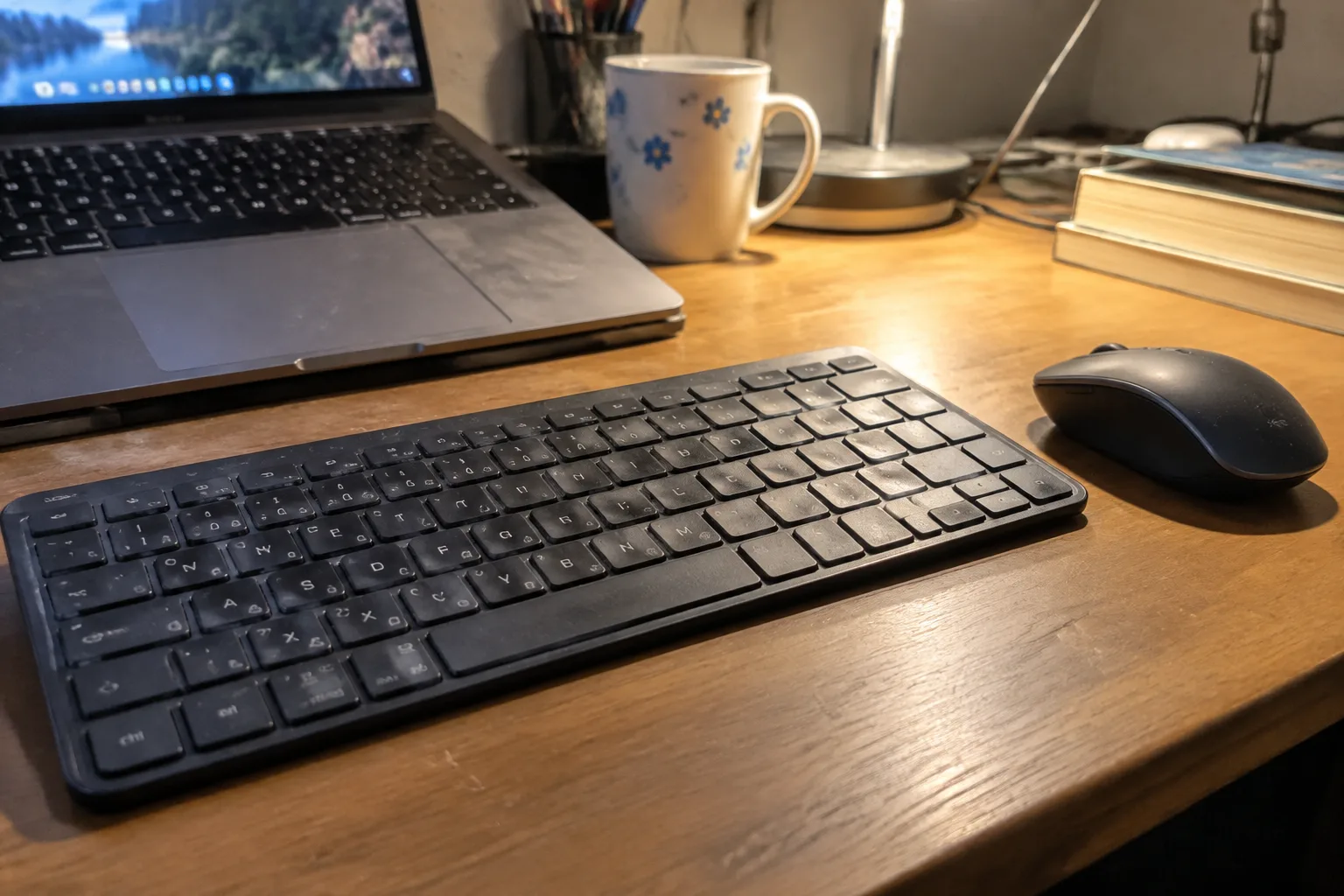
In a dorm, the number pad is usually dead weight. The exceptions are anyone running spreadsheets for an econ or accounting course, and anyone doing a lot of data entry in a lab. For everyone else, a 75 percent or TKL board plus a compact mouse frees up a strip of desk wide enough for a textbook to lie open beside the laptop. That strip matters more than most buyers expect on day one and less than nothing on day three, when it has become the normal way the desk works.
There is a secondary benefit to going smaller: a compact board fits in a backpack sleeve. Students who split time between a dorm, a library carrel, and a lecture hall can carry the keyboard and mouse in the laptop bag and leave the laptop's own keyboard untouched. That habit alone extends a laptop's usable life by years, since laptop keyboards are the first component to fail from crumbs, dust, and spilled coffee.
The three combo families worth comparing
Combos cluster into three tiers, and each tier has a distinct personality.
The budget tier, roughly twenty-five to forty-five dollars, is dominated by membrane keyboards with a single 2.4 GHz receiver and a mouse with an optical sensor in the 1000 to 1600 DPI range. These sets are light, quiet, and cheap enough to replace without grief. The keyboard feel is soft and slightly vague, keys bottom out with a dull thud, and the mouse is small enough that a large hand will cramp after an hour of gaming. For a student writing essays and browsing lecture slides, that is fine. For anyone who types for six hours a day, it becomes a slow annoyance that builds into a genuine fatigue by midterms.
The mid tier, roughly sixty to a hundred dollars, moves to scissor-switch or low-profile mechanical keyboards and mice with adjustable DPI and a proper scroll wheel. This is where the value sits for most students. The keyboards are thinner, quieter than full mechanical switches, and built with enough heft that they do not slide across a desk when the typing gets fast. The mice track on a bare desk surface without a mousepad, which matters in a dorm where the mousepad is often a notebook cover.
The upper tier, roughly a hundred and twenty dollars and up, is mechanical keyboards with hot-swappable switches paired with gaming-grade mice. Hot-swap matters more than it sounds: when a single switch starts double-registering after two years of heavy use, the fix is a two-dollar replacement and a plastic puller, not a new keyboard. That repairability is the quiet argument for spending more up front, especially for a student who plans to keep the same setup through four years and possibly into a first apartment.
What actually breaks first, and how to read the spec sheet for it
The failure points in a combo are predictable. On the keyboard, the space bar and the most-used letter keys are the first to go soft, usually because the membrane under them has compressed or the stabilizers have collected grit. On the mouse, the left click switch wears out before anything else, and a mouse that double-clicks on a single press is the most common complaint in any dorm's group chat by junior year.
Spec sheets rarely mention switch lifespan for budget sets, which is itself a signal. When a manufacturer does publish a number, mechanical switches are typically rated in the tens of millions of keystrokes and membrane domes in the low millions. The gap is real but the practical translation is simpler: a mechanical board with replaceable switches will outlive the laptop it is plugged into, and a budget membrane board will not.
Battery life is the other number to check. A combo that advertises months of battery life is usually quoting the keyboard with backlighting off. Turn the backlight on and that number can fall by a factor of five or more. Students who type in a dim room at night should assume the real figure is the dim one, and should prefer a set with a USB-C charging port over one that runs on AA batteries, since a dead keyboard at the wrong moment is a familiar small disaster.
The receiver problem nobody warns about
A single receiver for two devices is the main selling point of a combo, and it is also the main frustration. The receiver occupies a USB-A port, and modern laptops are steadily dropping USB-A in favor of USB-C. A student with a slim laptop and no hub will find the included receiver does not fit, and the fix is a five-dollar adapter that adds a dongle dangling off the side of the machine, which defeats the point of going wireless.
The cleaner solution is Bluetooth, which pairs directly to the laptop and leaves every port free. Bluetooth combos cost a little more and add a pairing step on first use, but for a student moving between a dorm, a lecture hall, and a library, the ability to pair once and connect anywhere without carrying a receiver is worth the premium. The tradeoff is latency and reliability: Bluetooth can stutter in a crowded lecture hall where dozens of devices compete for the same band, and a 2.4 GHz receiver is steadier for gaming or fast typing. A combo that supports both, with a switch to flip between them, covers both cases and is the setup to look for if the budget allows.
Quiet keys and shared rooms
Anyone sharing a dorm room, or typing in a library at midnight, should treat noise as a hard constraint. Mechanical keyboards with clicky switches are a genuine social problem in a shared space, and the click carries through thin dorm walls in a way that a roommate will mention. Linear or tactile silent switches, or a good low-profile scissor board, produce a soft clack that stays within a few feet. Membrane boards are the quietest of all, which is the one place the budget tier wins outright.
The mouse matters here too. A mouse with loud, crisp clicks is fine alone and irritating in a quiet room. Some combo mice offer a silent-click variant, and for a student in a shared space that feature is worth more than a higher DPI number that will never be used.
A concrete shortlist by use case
For the essay-and-slide student on a tight budget, a compact membrane combo in the thirty-dollar range with a USB-C adapter is the sensible floor. It will not last four years, but it will last two, and by then the student knows their own habits well enough to buy the right thing.
For the student who types for hours and wants one purchase to last, a 75 percent hot-swappable mechanical board paired with a mouse in the sixty-to-hundred-dollar tier is the sweet spot. The compact footprint fits a dorm desk, the hot-swap switches make repair trivial, and the mouse sensor is good enough for anything short of competitive gaming.
For the student juggling a laptop, a tablet, and a shared printer, a Bluetooth combo with a multi-device switch earns its price. Pairing the keyboard to the laptop and the tablet, then flipping between them with a keypress, removes a daily friction that no spec sheet measures but every user feels.
The desk that gets cleared every night
There is one more consideration that rarely appears in reviews and matters enormously in a dorm: the setup has to come apart and go back together without drama. Desks in shared rooms get cleared for dinner, for a roommate's project, for a video call. A combo with a single receiver and a compact footprint packs into a drawer in ten seconds. A full-size board with a wrist rest, a separate mousepad, and two dongles takes a minute and leaves a tangle of cables that never quite goes back the way it was.
The students who end up happy with their combos are usually the ones who bought for the desk they actually have, not the desk in the product photos. A 75 percent board, a small mouse, and a single receiver that lives permanently in a laptop bag is a setup that survives four years of moving, packing, and late-night typing without ever becoming the thing that gets in the way.