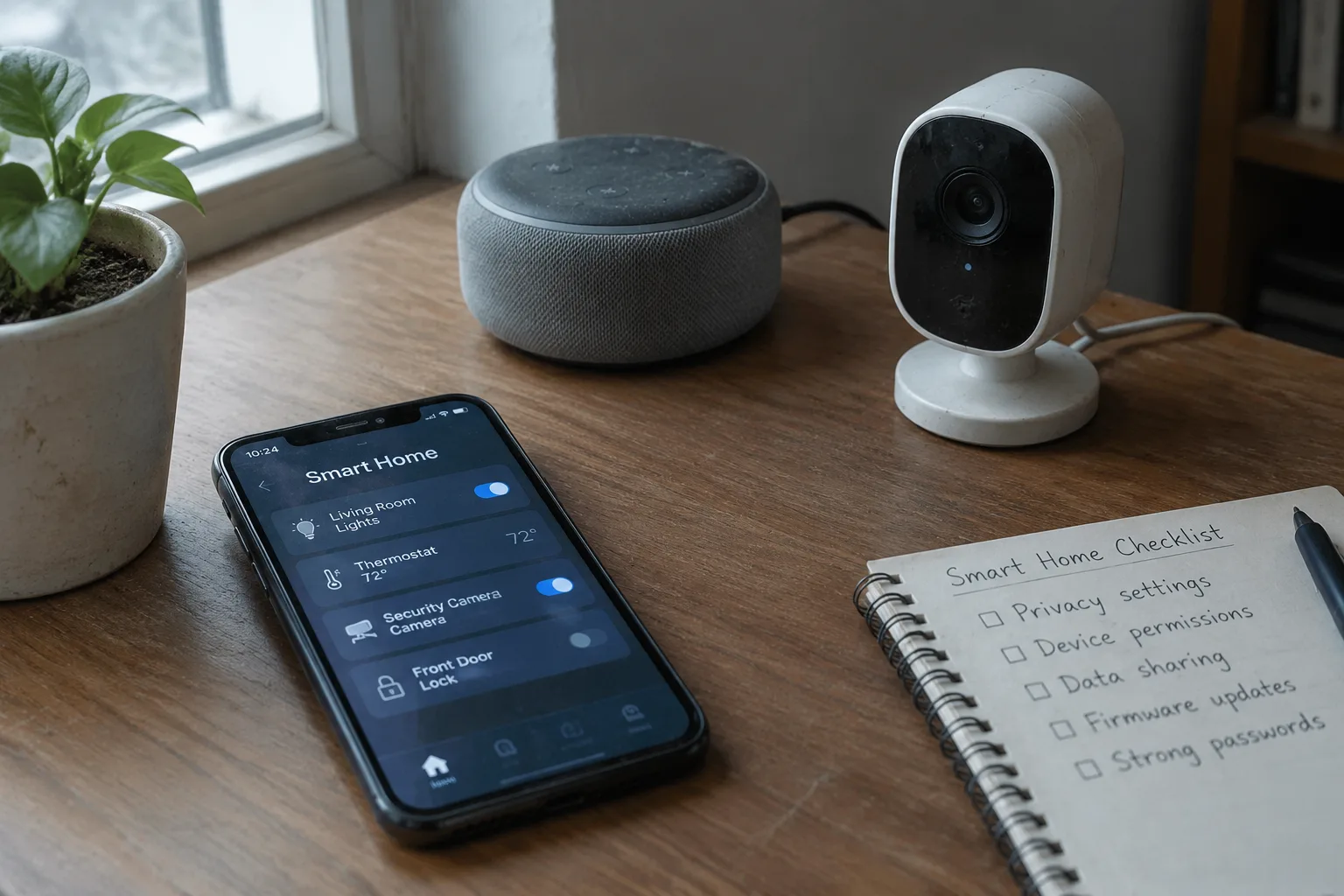
Best Buy sells a $29 smart plug with a 2.4 GHz radio, a microcontroller, and a cloud account requirement. The same shelf carries a $249 video doorbell, a $180 air purifier, and a $60 light bulb. Every one of them connects to the internet, and every one of them asks the buyer to trade a slice of household privacy for convenience. The checklist that follows is not about avoiding that trade. It is about knowing exactly what is being handed over before the credit card comes out.
The smart home industry has spent the past decade building a market on one assumption: that people will accept almost any data practice if the app is pleasant enough. That assumption has held up well. What has not held up is the buyer's ability to see what is happening behind the app. Most device packaging says nothing about data retention. Most setup wizards bury the account terms three screens deep. The privacy information exists, but it is scattered across support pages, privacy policies, and firmware release notes.
Start With the Account Requirement, Not the Hardware
A device that works without a cloud account is worth a premium. That is the first filter, and it eliminates more products than any other single check.
Many smart bulbs, plugs, and switches can be controlled over the local network through protocols like Matter, Zigbee, or Z-Wave, with the hub handling automation and the vendor's servers playing no role. Others insist on an email address, a password, a firmware handshake with a server farm, and a mobile app that phones home on launch. The difference matters because a cloud account turns a local appliance into a subscription-shaped relationship. The device may still work when the servers go down, but the vendor retains a record of when lights were turned on, when the thermostat was adjusted, and which rooms were occupied at 2 a.m.
The practical test takes five minutes. Check the product page for the phrase "requires app" and read the fine print. Then look for a local control option in the spec sheet. If neither exists, assume the account is mandatory and that the data leaves the house.
The Camera Is a Window With a Recording Feature
Video doorbells and indoor cameras deserve their own checklist because they capture the most sensitive data in the home: faces, voices, comings and goings, the interior of a living room. A camera that records to a local microSD card and streams only on demand is a different product from one that uploads continuous footage to a vendor's cloud for "AI-powered alerts."
Buyers should look for three specifics. First, local storage: a microSD slot, a network video recorder, or onboard flash. Second, encryption in transit and at rest, stated plainly on the spec sheet rather than buried in a marketing gloss. Third, a physical privacy shutter or a hard off switch. A camera without an off switch is a camera that is always on, and the firmware history of the category includes enough incidents of hijacked feeds and shared access links to justify treating that as a real risk rather than a hypothetical one.
The subscription trap is worth naming. Several major camera brands sell hardware at close to cost and recover margin through cloud plans that start around $3 to $5 a month and climb. Cancel the plan and features that seemed built into the device, like person detection or clip history, quietly disappear. The checklist item is simple: find the feature list for the free tier before purchase, not after.
Microphones Hide in Appliances That Do Not Need Them
A voice assistant in a speaker is expected. A microphone in a refrigerator, a washing machine, a toothbrush, or a vacuum is a different proposition. The past several years have produced a steady trickle of products with always-listening microphones and unclear activation logic, and the buyer's only defense is to read the spec sheet line by line.
The question to ask is not whether the device listens. It is what happens to the audio after the wake word. Some devices process commands locally and discard the buffer. Others stream snippets to a cloud service for transcription. A few retain recordings for quality review, sometimes with human reviewers in the loop. The privacy policy is the only place these details appear, and it is usually written to be skimmed past. A useful habit is to search the policy for the words "retain," "record," and "third party" and read those sentences twice.
Firmware Updates Are a Privacy Feature
A device that never receives firmware updates is a device with a fixed set of vulnerabilities. That sounds like a security point, but it is a privacy point too, because the exploits that expose home networks tend to start with unpatched routers, hubs, and cameras.
Before buying, check the manufacturer's update history. A vendor that published security patches in the last six months is a better bet than one whose last firmware release is two years old. The spec sheet rarely says this. The support page does.
There is a second, quieter issue: the update itself. Some firmware updates add features, and some add data collection. A device that shipped with a local-only mode may gain a cloud sync option in a later release, often enabled by default. The buyer who set the device up two years ago may never notice. Checking the release notes after major updates, or at least setting a calendar reminder once a year, is the only reliable defense.
The Router Is the Real Privacy Boundary
Every smart device in the house passes through one choke point: the Wi-Fi router. That makes the router the most useful privacy tool in the building, and most buyers never think about it.
A router with a guest network can isolate smart devices from laptops and phones. A router with per-device access controls can block a camera from reaching the internet while still allowing it to talk to a local hub. A router with traffic logs can show which devices are phoning home and how often. None of these features require a security professional to configure, and all of them are standard on mid-range routers sold in the past few years.
The practical setup is a separate network for smart devices, a block on outbound traffic for any device that does not need it, and a monthly glance at the connected-device list. That last habit catches the device that was quietly added to the network by a family member or a guest and never accounted for.
Return Windows Are a Privacy Test Drive
The single most underused privacy tool is the return policy. A device can be set up, tested, and returned within the retailer's window, and the test should include a look at what the device does on the network.
Set up the device, then check the router's traffic log. A camera that streams continuously to an unfamiliar domain, a plug that pings a server every thirty seconds, a hub that contacts an advertising endpoint: these are visible in the log within an hour. If the behavior is unacceptable, the device goes back in the box. The cost is a restocking fee at worst, and the information gained is worth far more than the hassle.
This is also the moment to test the offline behavior. Unplug the router or block the device's internet access, then see what still works. A smart plug that refuses to turn on without a cloud connection has revealed its true dependency. A bulb that keeps responding to the local hub has passed.
The Privacy Policy Is Shorter Than It Looks
Most smart home privacy policies run several thousand words, but the sentences that matter cluster in a few places. The data-sharing section names the categories of third parties. The retention section states how long records are kept. The deletion section explains how to request removal. The children's privacy section matters for any device with a microphone or camera in a bedroom.
A buyer who reads only those four sections, maybe ten minutes of work, will know more about the device than the packaging reveals. The exercise also produces a useful side effect: policies that are vague on retention or deletion tend to be vague on purpose, and that vagueness is itself a data point.
What the Checklist Cannot Fix
None of this eliminates the trade. A connected home collects data by design, and the buyer who wants the convenience has to accept some of the exposure. What the checklist changes is the visibility. A household that knows which devices require accounts, which cameras store footage locally, which appliances carry microphones, and which router settings isolate the smart network is a household making an informed decision rather than an accidental one.
The alternative, buying whatever the shelf recommends and trusting the app to behave, works fine until the day a vendor changes its terms, sells its cloud business, or pushes an update that turns a local feature into a cloud one. By then the return window is long closed. The checklist is cheapest to run before the box is opened, and the five minutes spent reading a spec sheet is the least expensive privacy insurance on the market.


