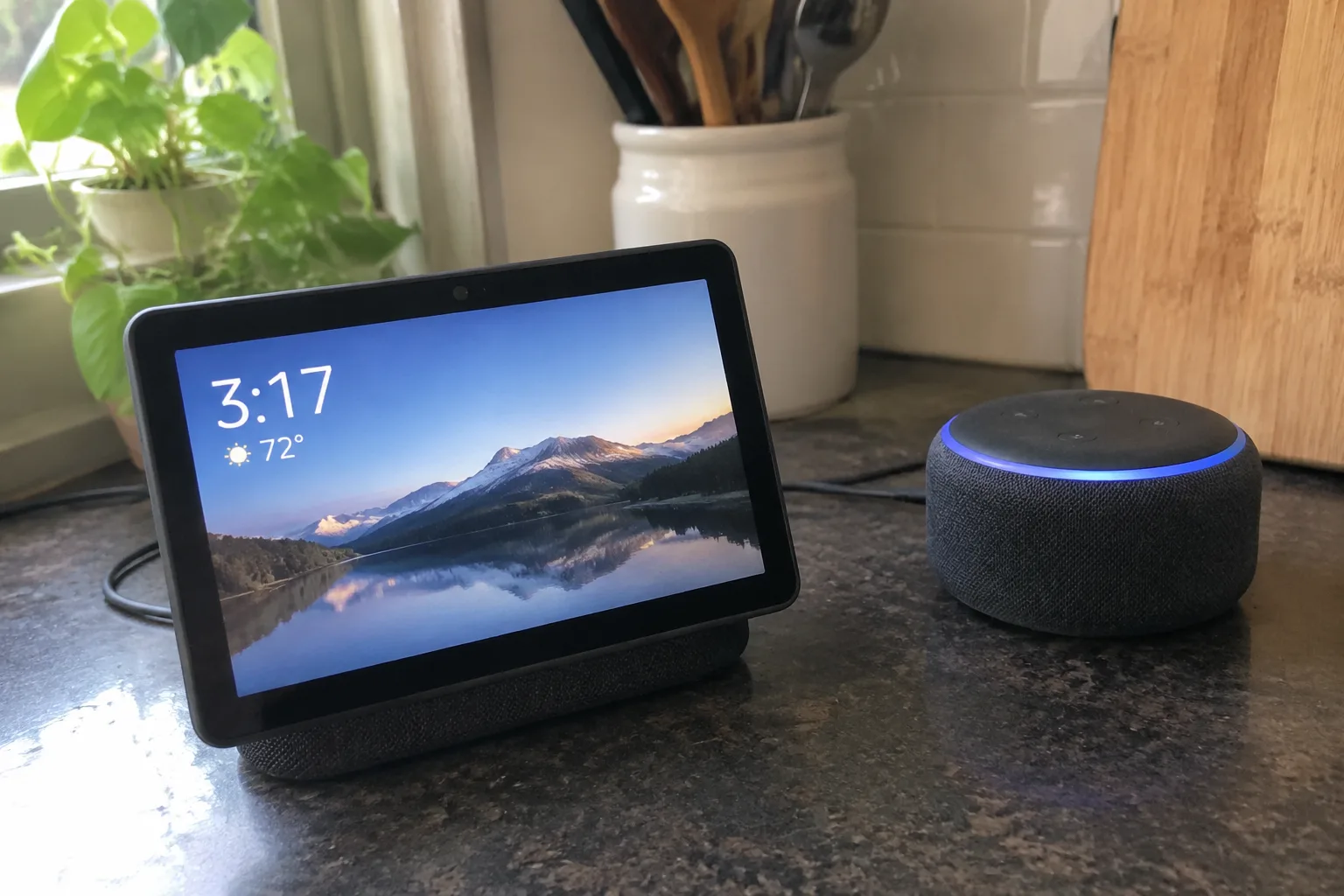
The kitchen counter has become a battlefield of small screens. A smart speaker sits by the toaster, a smart display leans against the backsplash, and both of them want to be the one that answers when a timer needs setting or a recipe needs checking. The choice between the two is not a matter of which device is newer or more capable in the abstract. It is a question of what a person actually does with their hands while cooking, and how much screen real estate is worth the counter space it steals.
Most kitchens have about two feet of usable prep space that is not already claimed by a cutting board, a coffee maker, or a stack of mail. A smart speaker takes up roughly the footprint of a coffee mug. A smart display, depending on the model, occupies a space closer to a hardback book stood on end. That physical difference matters more than any spec sheet suggests, because counter space is the one kitchen resource that cannot be expanded without a renovation.
The timer problem and why it favors speakers
Consider the single most common kitchen voice interaction: setting a timer. A cook has flour on their hands, the oven is open, and a pot is about to boil over. The command "set a timer for eight minutes" needs to work from across the room, through the noise of a range hood, without any visual confirmation. A smart speaker does this flawlessly. It hears the command, confirms aloud, and the cook never looks at it.
A smart display also sets the timer, and it shows the countdown in large digits that can be read from the stove. That visual confirmation is genuinely useful when three timers are running at once and the cook needs to know which one is about to expire. The question is whether that glance is worth the extra cost and the extra counter space. For a household that regularly juggles multiple dishes, the answer tilts toward the display. For a household that mostly reheats and assembles, the speaker wins on simplicity alone.
Recipe reading is where displays earn their keep
The strongest argument for a smart display in the kitchen is recipe handling. A speaker can read steps aloud, but spoken instructions are a poor fit for a task that requires scanning ahead, doubling back, and checking quantities. A display shows the ingredient list, the current step, and the next step side by side. A cook can glance, chop, glance again. The screen stays on, the page does not scroll away, and no one has to touch a phone with raw chicken hands.
That hands-free quality is the display's real advantage. A phone propped against a can of tomatoes will fall over. A tablet will go to sleep at the worst moment. A smart display is designed to sit there and stay awake, and many models dim automatically when no one is nearby, which keeps the kitchen from feeling like a small appliance store at night. The recipe feature alone justifies the display for anyone who cooks from instructions more than twice a week.
The camera question and what it actually adds
Many smart displays include a camera, and the kitchen is an odd place for one. Video calls from the counter are awkward: the angle is unflattering, the background is a pile of dishes, and the person on the other end mostly sees the top of a head. The camera's more practical use is as a visual intercom or a way to check on a sleeping child or a front door, but those jobs belong to a device in a hallway or a living room, not next to the spice rack.
A camera also raises a privacy question that a speaker avoids entirely. A speaker with no camera is a microphone and a small computer. A display with a camera is a lens pointed at the most private room in the house. For a kitchen, the camera is a feature that adds cost and complexity without solving a problem the kitchen actually has. Buyers who want a display should look for models with a physical camera shutter or skip the camera model altogether.
Sound quality and the range hood problem
Smart speakers generally sound better than smart displays at the same price. The reason is physics: a speaker cabinet is built around the driver, while a display has to fit a screen, a processor, and a speaker into a thin slab. The result is that a mid-range speaker fills a kitchen with music, while a mid-range display sounds thin and strained when the volume goes up.
That difference matters in a kitchen more than in a bedroom. A range hood on high is loud. A stand mixer is loud. A dishwasher cycle is loud. A device that has to be heard over those sounds needs a driver with some muscle, and a display's slim profile works against it. A household that plays music or podcasts while cooking should weight sound quality heavily, and that weighting points toward a speaker.
Where the display's screen becomes a liability
Screens in kitchens get dirty. Grease, flour, and steam settle on glass, and a touchscreen that is smudged with cooking residue is unpleasant to use. Voice control avoids the touch problem, but many display interactions still end with a finger on the glass: dismissing a notification, scrolling a recipe, pausing a video. Each of those touches adds a cleaning step that a speaker never requires.
A screen also invites attention in a way a speaker does not. A display showing a news feed or a photo slideshow becomes a small television on the counter, and a cook who glances at it while stirring a sauce is a cook who is not watching the sauce. The speaker's lack of a screen is, in this sense, a feature: it does its job and then goes quiet.
The case for owning both, and why it usually fails
The obvious compromise is to put a speaker in the kitchen and a display somewhere else in the house. That arrangement works well for many households: the speaker handles timers and music, the display handles video calls and recipe browsing in a room with more space. The two devices can share an ecosystem, and voice commands can be routed to whichever one is closer.
The failure mode is buying both for the same counter. Two always-listening devices in one small room create confusion about which one responds, duplicate timers, and a tangle of power cables. A household that starts with one device and adds a second only after a clear gap emerges ends up happier than one that buys both on day one.
A simple test before buying either
The decision comes down to a single question that a buyer can answer in thirty seconds: does the cook in the household follow recipes step by step, or do they cook from memory and instinct? A recipe follower needs the screen. An instinct cook needs the speaker and will find the display's screen mostly idle, cycling through photos nobody asked for.
A second question refines the answer: how much counter space is genuinely free? A kitchen with a narrow galley and a single prep zone has no room for a display, no matter how useful the recipe feature sounds. A kitchen with a wide island and a dedicated charging corner can absorb a display without losing a cutting board's worth of workspace.
What the price gap actually buys
Smart speakers start cheap, often well under the cost of a nice chef's knife, and the entry models handle timers, music, and basic questions without complaint. Smart displays cost roughly double or more, and the premium buys the screen, the recipe interface, and the video features. The gap is real, and it is worth paying only if the screen solves a problem the household actually has.
A buyer who is unsure should start with the speaker. It is the lower-risk purchase, it fits almost any kitchen, and it reveals within a week whether the household wants more from a voice assistant. If the answer is yes, the display becomes an upgrade with a clear purpose. If the answer is no, the speaker stays and the counter stays clear.
The kitchen counter, in the end, is a work surface. Every device on it is a trade against the space where a bowl of onions could sit. A speaker makes that trade cheaply and quietly. A display makes it expensively and loudly, and earns the cost only when the cook's hands are busy and their eyes need somewhere to land.


