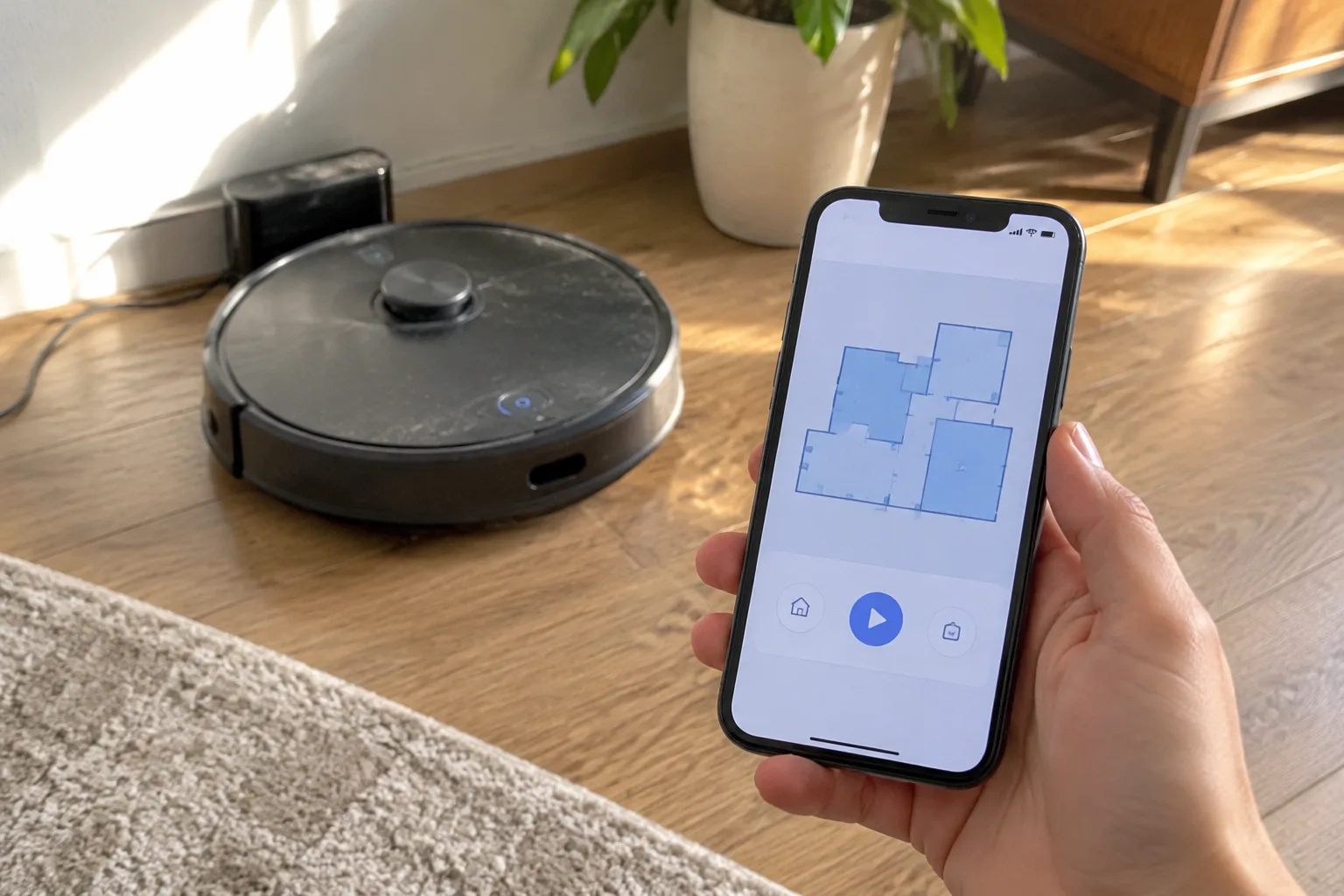
The box arrives, the vacuum gets unboxed, and then comes the moment almost everyone dreads: the app. A robot vacuum without its app is a dumb bumper car. With the app configured properly, it becomes something closer to a household appliance that knows the floor plan. The gap between those two states is usually forty minutes of fiddling, a few wrong turns, and one firmware update that seems to take forever. Most of that time is unavoidable. Some of it is self-inflicted, and knowing which parts matter is the difference between a vacuum that runs reliably for years and one that gets abandoned in a closet by March.
The account step nobody thinks about
Every robot vacuum app begins with an account, and this is where a small decision has outsized consequences. The account is tied to the robot's cloud service, which means the maps, schedules, and firmware all live behind a login. Use an email address that will still exist in five years. A throwaway address or an old work email is a trap; when the password resets stop working, the robot's settings become inaccessible and a factory reset is the only path back.
Two-factor authentication is worth turning on if the app offers it. A robot vacuum's map is a floor plan of a home, complete with room boundaries and furniture placement. That data deserves the same care as a security camera feed. It takes two minutes at setup and saves a headache later.
There is also the matter of the home network. Most robots connect over 2.4 GHz Wi-Fi, and plenty of modern routers broadcast a combined 2.4 and 5 GHz signal under one name. The robot may refuse to connect, or connect and then drop off repeatedly, because it cannot see the 2.4 GHz band clearly. The fix is usually a guest network or a separate 2.4 GHz SSID set up in the router's admin page. This is the single most common setup failure, and it has nothing to do with the vacuum itself.
Pairing the robot without losing patience
Pairing is the step where the app asks for the Wi-Fi password and then waits, sometimes for a full minute, while the robot's indicator light blinks. The instinct is to retry. Resist it. Most pairing failures come from impatience, from a phone that has switched to a 5 GHz band, or from a robot that is too far from the router during setup. Bring the robot within a few feet of the router for the initial pairing, then move it to its dock afterward.
If the app offers a QR code pairing method, use it. It is faster and less error-prone than typing a password into a small field with a phone keyboard. The robot's camera reads the code off the phone screen, and the handshake completes in seconds.
Firmware updates come next, and they are not optional. A robot fresh from the box often ships with software several versions behind. The first update can take ten or fifteen minutes, and the robot must stay on its dock and connected throughout. Do this before mapping, not after. Mapping on old firmware and then updating can wipe the map, forcing the whole process to start over.
The first mapping run sets the ceiling for everything after
Mapping is the part that determines how well the robot performs for the rest of its life. The first run should be a full exploratory pass with the floors as clear as possible. Chairs pushed in. Cables off the floor. Bath mats picked up. Loose socks, pet bowls, the charging cable for a laptop. Every obstacle the robot has to navigate around becomes a permanent feature of the map, and every obstacle it has to climb over becomes a place it may get stuck later.
A clean first map is worth more than any scheduling feature. The robot will draw room boundaries based on doorways and walls, and those boundaries determine how room-specific cleaning works. If a doorway is blocked by a chair during the first run, the robot may decide the room is smaller than it is, and correcting that later means remapping from scratch.
The run itself takes a while. A two-bedroom apartment might take forty minutes on the first pass; a larger house can take well over an hour. Let it finish. Interrupting the mapping run to move the robot or pick something up confuses the map and produces a floor plan with holes and phantom walls.
Editing the map is where the real work happens
Once the map exists, the app will offer a set of editing tools, and this is the part most people skip. Room labels are the first thing to fix. The robot has no idea which room is the kitchen and which is the bathroom; it just sees rectangles. Labeling each room correctly unlocks room-specific cleaning, which is the feature that makes a robot vacuum genuinely useful rather than a novelty.
No-go zones and no-mop zones come next. These are virtual boundaries drawn on the map, and they are the difference between a robot that respects a home and one that drags a wet mop across a Persian rug. A no-go zone around a pet's water bowl, a no-mop zone over a rug in the kitchen, a no-go line across a home office full of cables. Drawing these takes five minutes and prevents months of small disasters.
Some apps also support furniture markers, which let the user place virtual furniture on the map. This is more useful than it sounds. A dining table with chairs is a maze for a robot, and marking it tells the robot to approach from a specific side rather than trying to navigate underneath. The same goes for a sofa with a low clearance or a bed with a skirt that the robot keeps climbing.
Schedules work best when they are boring
The temptation with scheduling is to set a robot to clean every room every day and then forget about it. This works for a while and then stops working, because a robot that runs daily in a home with pets fills its bin quickly, and a full bin means the robot either stops mid-run or spreads debris around instead of collecting it.
A better schedule is unglamorous: one full pass of the main living areas three or four times a week, a kitchen run every other day, and bedrooms once a week. The exact cadence depends on the home, but the principle holds. A robot that runs slightly less often but finishes every run is more useful than one that runs daily and gets stuck or stops halfway.
Timing matters too. Running the robot while people are home means it will navigate around feet and furniture that gets moved, which produces a messier map and more frequent stuck alerts. Running it while the house is empty, or at least while the floor is clear, produces cleaner results. Many apps support scheduling by room, which allows a kitchen run at noon and a living room run at ten in the morning, both while the floor is empty.
The maintenance schedule the app will not remind you about
The app sends notifications about firmware updates and full bins. It rarely sends a notification about the main brush, which is the component that quietly degrades performance over months. Hair wraps around the brush, the bristles flatten, and the robot's pickup efficiency drops without any obvious sign. A monthly check of the main brush, the side brush, and the filter is the maintenance routine that keeps a robot performing like new.
The filter is the other silent failure point. A clogged filter reduces suction and pushes fine dust back into the room. Most manufacturers recommend replacing the filter every few months, and the app may track this, but the reminder is easy to dismiss. A spare filter costs little and takes seconds to swap.
The dock and charging contacts deserve a wipe every few weeks. Dust accumulates on the contacts, the robot charges less reliably, and a robot that fails to charge overnight misses its morning schedule. This is the kind of small neglect that turns a working robot into a frustrating one, and none of it appears in the app's notification feed.
What the app's data actually tells you
Most robot vacuum apps keep a cleaning history, and this log is more useful than it first appears. It shows which rooms were cleaned, how long each run took, and where the robot got stuck. A room that consistently takes longer than expected, or a spot where the robot reports a stuck alert more than once, points to a real problem: a cable that keeps getting caught, a rug edge that keeps folding, a piece of furniture that needs a no-go zone.
The history also reveals whether the schedule is actually being followed. It is common to set a schedule and then discover, weeks later, that the robot has been skipping a room because a door was closed during the scheduled run. The log makes that visible, and a small adjustment to the schedule or a reminder to leave the door open fixes it.
Battery health is the other data point worth watching. A robot that used to clean a full floor on one charge and now returns to the dock halfway through is showing its age. Most robots handle this by resuming after a recharge, but the pattern is worth noting. It signals when a battery replacement might be due, and it explains why a robot that once seemed tireless now needs a mid-run break.
The settings worth changing on day one
A handful of settings are worth adjusting before the first scheduled run. Carpet boost, if the app offers it, increases suction on carpeted areas and is worth enabling in homes with rugs. Edge cleaning, which sends the robot along walls and into corners, is worth keeping on unless the home has delicate baseboards. And the do-not-disturb window, which prevents the robot from running during set hours, is worth configuring so a late schedule does not turn into a midnight surprise.
The voice assistant integration is optional and often more trouble than it is worth. Linking a robot to a smart speaker works, but it adds a layer of complexity and another account to manage. The app's own scheduling does the same job with fewer moving parts.
One setting that deserves attention is the robot's response to being picked up and moved. Some robots treat a lift as a relocation and start mapping from a new origin point, which corrupts the existing map. Others handle it gracefully. Checking this behavior early, by moving the robot to a different room and watching what the app reports, prevents a corrupted map later. A robot that handles relocation well can be carried upstairs for a second-floor clean and returned to its dock without any remapping.
The setup is finished when the robot runs a scheduled clean without intervention, returns to its dock, and the map still looks correct the next morning. That is the moment the appliance stops being a project and starts being a piece of the household. Everything before that moment is work, and most of it is worth doing once, carefully, so it never has to be done again.


