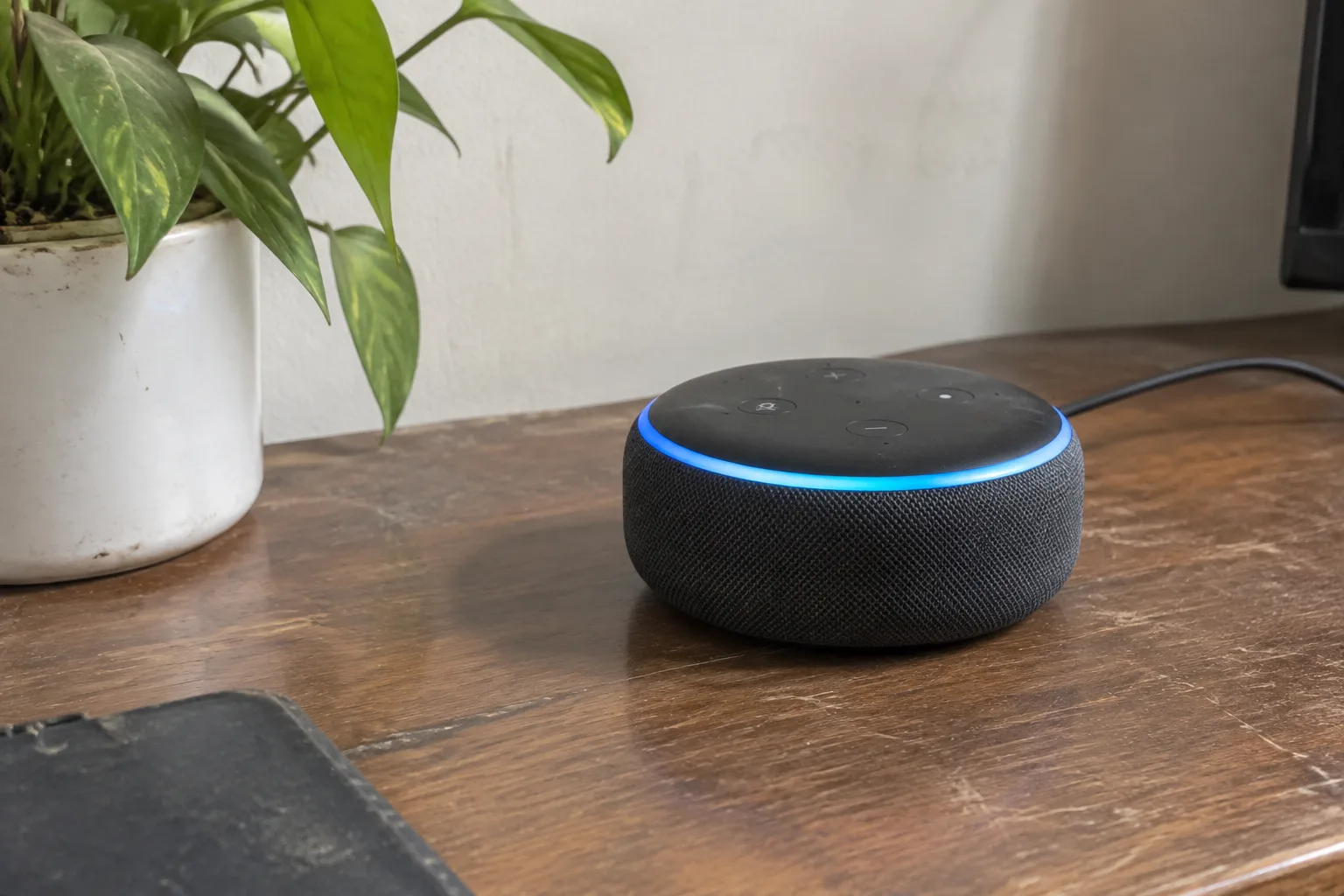
The cardboard box arrives, gets slit open on the kitchen counter, and inside is a small fabric-covered cylinder that weighs less than a paperback. The instructions, if there are any, run to a single folded card with a QR code. This is the moment a lot of first-time buyers stall: the hardware is trivially easy to unbox and genuinely confusing to bring to life, because the actual work happens in an app, an account, and a Wi-Fi band selection that the box never mentions.
A smart speaker is a microphone array, a small amplifier, and a network client wrapped in mesh. Setup is the process of getting that client onto a home network, tied to an account, and placed somewhere it can hear a normal speaking voice. Every step below serves one of those three goals. Skipping the boring middle steps, particularly the Wi-Fi one, is where most of the frustration comes from.
Pick the room before opening the app
Placement decides whether the device feels magical or mildly deaf, and it is much easier to choose a spot before the account setup than after. The microphone array hears best in a cone roughly in front of it, with some pickup to the sides and rear. A speaker parked against a wall behind a sofa, or tucked under a cabinet beside the microwave, will miss the wake word from across the room and blame the software.
Kitchen counters are the most common first location and also the most hostile. A speaker sitting within a meter of a running microwave or a chattering range hood will hear its own name and the tail end of a request, then nothing. A spot on the counter at least a step or two away from the noisiest appliance works fine. Bathrooms are a popular second location and a bad idea for the cheap units, which have no meaningful moisture sealing.
The speaker should sit at roughly chest or counter height, with a clear line to where people usually stand. Bookshelf speakers hidden among books, or wedged between cereal boxes, tend to bury the microphone ports. A bare stretch of wall or a side table with a clear path to the room is the boring correct answer.
The 2.4 GHz band question, answered plainly
Nearly every smart speaker on the market connects only to the 2.4 GHz Wi-Fi band. This is not a conspiracy; 2.4 GHz travels further through walls and uses less power, which suits a device that sits in a corner and needs to stay online for years. The 5 GHz band is faster but shorter-range, and most of these devices simply do not have a radio for it.
This causes real trouble in homes where the router broadcasts one network name that automatically steers devices between bands. The phone connects on 5 GHz, the speaker tries to join and fails, and the app reports a vague error. The fix is to log into the router, split the two bands into separate network names (something like HomeNet and HomeNet-5G), and then join the speaker to the 2.4 GHz one during setup. It is a five-minute router change that prevents an hour of app resets.
Mesh systems complicate this further. Many mesh kits ship with band steering on by default and a phone app that hides the split. The speaker still needs the 2.4 GHz radio, so the mesh app is the place to look for a "split bands" or "separate networks" toggle. If the mesh app refuses, the fallback is to move the speaker within a few meters of a mesh node during setup, complete the pairing, and then move it back. The device remembers the network after the first join.
Account setup is where the privacy choices live
The app install and account creation take a few minutes and matter less than the settings nobody opens. Nearly every platform offers a voice recording review page, a toggle for whether human reviewers may listen to snippets, and an option to auto-delete recordings after a set period. These defaults vary by brand and by region and are not always on the friendly side.
A sensible ten-minute pass through the settings menu covers the essentials: turn on automatic deletion of voice recordings (three months is a common option), disable human review of recordings if the platform offers it, and check whether the device keeps a local history of requests. The speaker will still work identically. The only thing lost is a training corpus that most households never wanted to contribute to.
Household accounts deserve a thought too. Adding a second adult to the speaker's account usually enables separate voice profiles, which means calendars and music preferences stay separate. Skipping this step creates a shared household profile where one person's reminders land on the other person's phone. It takes two minutes in the app and saves a month of small confusions.
Pairing a phone to the speaker over Bluetooth
Many first-time owners expect the speaker to act like a Bluetooth speaker for music from a phone. Some do, some only stream from their own service, and the difference is worth checking before buying. For the units that support it, the pairing process is the standard one: put the speaker into pairing mode (usually a button hold until a light pulses), open the phone's Bluetooth menu, and select the speaker's name.
The catch is that Bluetooth and Wi-Fi mode often compete. A speaker streaming from a phone over Bluetooth may stop responding to voice commands until the phone disconnects, or the audio may route through the phone's microphone instead of the speaker's array. The reliable pattern is to leave the speaker on Wi-Fi for voice use and switch to Bluetooth deliberately for a specific listening session, then disconnect.
Teaching the wake word to a real voice
Voice training, where the platform offers it, takes about a minute and asks the user to repeat a handful of phrases. It improves recognition of that specific person's accent, pitch, and speaking speed, and it is genuinely worth doing for anyone with a strong regional accent or a voice that sits at the high or low end of the typical range. Children's voices benefit noticeably, though most platforms still struggle with very young speakers.
The wake word itself needs a small calibration. Speaking it from the far side of the room at a normal volume is the honest test. If the light does not respond, the speaker is either too far, too muffled by furniture, or the wake word is being clipped by the first syllable. Moving the device a foot or two toward the main seating area fixes more of these cases than any setting.
Background noise deserves its own test. A television at normal volume, a running dishwasher, or a podcast playing from another room will all compete with the wake word. The speaker is listening for a specific acoustic pattern and a noisy room raises the threshold. If the device misses the wake word only when the TV is on, that is expected behavior, and the fix is a closer placement rather than a settings change.
What to do when the speaker will not join the network
The most common failure at this stage is a device that sees the network but drops off during the join, usually because the router is handing out an address the speaker cannot use or the phone and speaker are on different bands during the handoff. The reliable sequence: forget the network on the phone, reconnect the phone to the 2.4 GHz band, restart the speaker, and run the app setup again while standing within a couple of meters of the router.
A second common failure is a network name with spaces, emoji, or unusual punctuation. Many smart speakers handle these poorly during the initial join. Renaming the 2.4 GHz network to something plain, with letters and numbers only, resolves it. It is an annoying fifteen-minute detour that a surprising number of first-time setups require.
Router-level security settings are the third culprit. Some routers ship with client isolation or a guest network mode that blocks devices from talking to each other, which prevents the phone from finishing the handoff. Checking that the speaker is on the main network, not a guest one, and that client isolation is off, resolves the rest.
Setting up routines without drowning in them
Once the speaker is online, the app will offer to build routines, which are simple if-this-then-that automations: when the morning alarm fires, turn on the kitchen lights and read the weather. The temptation is to build ten of them in the first sitting. A better approach is to build two, live with them for a week, and add more only where a real gap appears.
The most useful first routine for most households is a morning one: a wake-word phrase that reads the calendar, the weather, and the first commute update. The second most useful is a bedtime one that turns off the lights and sets a timer for the morning. Routines that try to do too much, like announcing every calendar event and reading three news briefs, get abandoned quickly because the speaker is suddenly talking for two minutes while someone is trying to leave the house.
The first-week checklist that actually matters
After the speaker is live, a handful of small tasks in the first week prevent most of the long-term annoyances. Rename the device to something the household will actually say out loud, since the default names are often awkward. Set the default music service explicitly, because the platform will otherwise guess and guess wrong. Add the household's shared calendars, then remove any that should stay private. And check the app's notification settings, which default to pushing a message to the phone every time the speaker completes a task.
The last task is the one most people skip: a deliberate listening test from the spots where the household actually stands. Walk to the far corner of the kitchen, the sofa, the hallway, and say the wake word at normal volume. Any spot that fails is a spot where the device is functionally useless. Moving the speaker six inches or rotating it slightly fixes more of these than any software setting, and it takes ten minutes once rather than a month of muttered complaints.
A smart speaker that sits in the right spot, on the right band, with a trimmed set of routines and a voice profile that matches its owner, becomes an unremarkable part of the room within a week. The one that stays on the wrong band, buried behind a cereal box, gets unplugged by the second month. The gap between those two outcomes is almost entirely the setup, and the setup is almost entirely a handful of unglamorous decisions made in the first hour.


