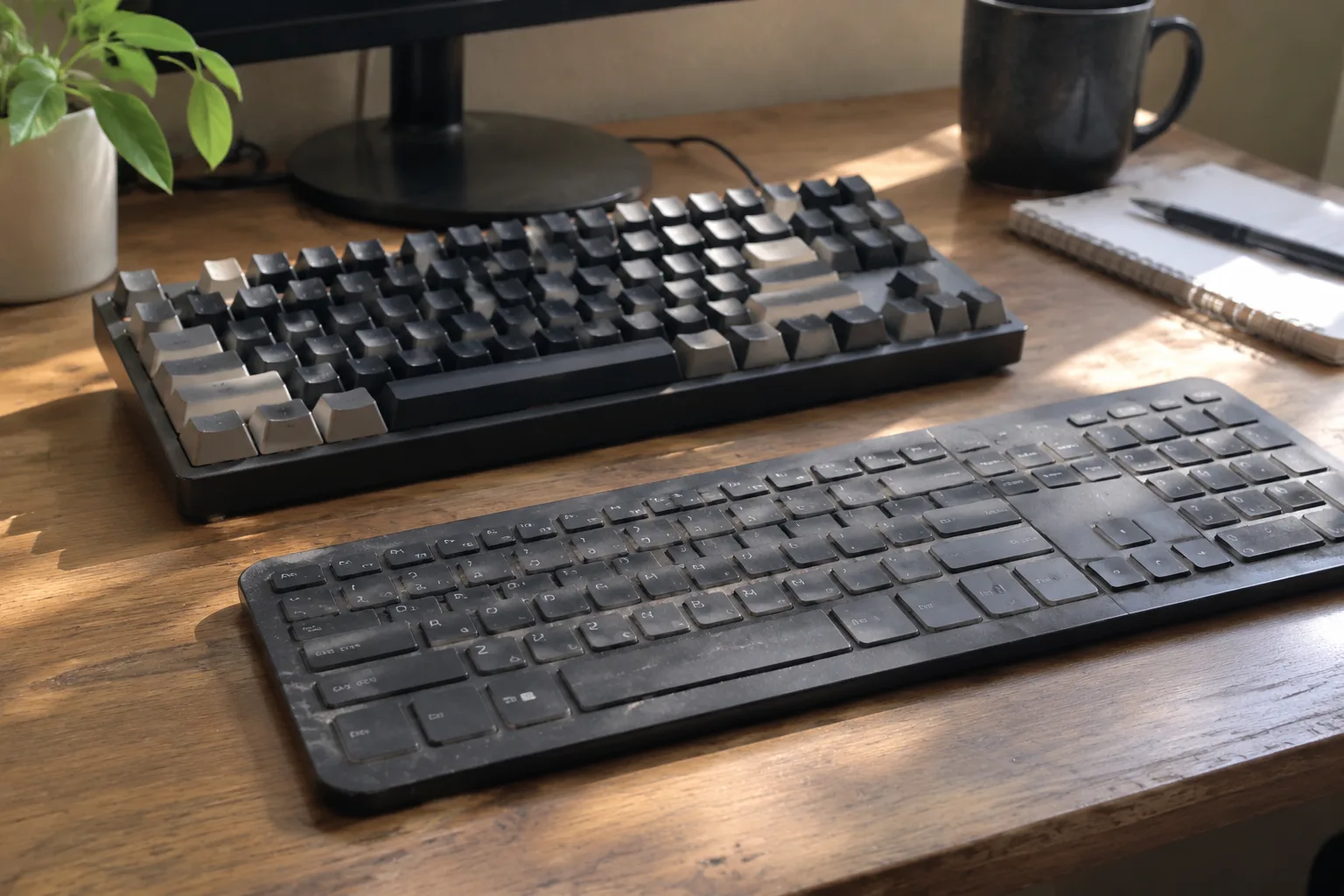
Two keyboards sit on a desk. One is a slab of plastic with a sheet of rubber underneath the keys. The other is a metal frame holding a hundred tiny switches, each one a small mechanical device with its own spring and stem. Both type the same letters. Both cost money. The gap between them, in price and feel and the way a full day of typing leaves a person's hands and wrists, is larger than the spec sheets suggest.
For anyone who types for a living, or for several hours a day, the choice matters more than the marketing implies. Mechanical boards get the attention and the Reddit threads. Membrane boards get the office cubicles. The honest answer is that both can work, and both can ruin a workday, depending on what the hands are doing and for how long.
What a membrane keyboard actually is under the caps
A membrane keyboard is built around three layers of plastic film. The top and bottom layers carry conductive traces, and a spacer layer with holes sits between them. Press a key and the top film dents down through the hole, closing a circuit. That is the whole mechanism. There is no individual switch per key, which is why a membrane board can be manufactured cheaply and why the key feel across the board tends to run together.
Most laptop keyboards are membrane, or a close cousin called scissor switch, which pairs the same rubber dome with a pair of plastic arms to keep the keycap level. The thin profile of a laptop forces this design. It is also why laptop typing feels mushy at the bottom of the stroke and why the whole deck flexes under a hard typist's hands.
The rubber dome does the work of returning the key. That dome starts stiff, collapses suddenly at the activation point, and then bottoms out against a hard plate. The collapse is what people call the mush. It is also what makes a cheap membrane board quiet, which is why it dominates open offices and shared rooms.
The switch inside a mechanical key
A mechanical keyboard gives every key its own switch, a self-contained unit with a housing, a spring, and a stem that slides up and down. The stem carries the keycap. The spring sets the force needed to press. Contacts inside the housing close when the stem passes a certain point, and the switch registers the keystroke.
Switch types split by behavior. Linear switches travel straight down with no bump, smooth and even from top to bottom. Tactile switches have a small bump partway through the press, a physical signal that the key has registered. Clicky switches add an audible click on top of the tactile bump, which some typists find satisfying and every nearby coworker finds less so.
The force needed to press a mechanical switch is measured in grams, and the common range runs roughly from 45 to 65 grams of actuation force. A lighter switch suits fast, light-handed typing. A heavier one suits a person who tends to rest their fingers on the keys and triggers accidental keystrokes on a soft board. The spring weight, more than any other spec, decides whether a board feels tiring or comfortable after four hours.
Why the bottom of the keystroke changes a long day
Here is the detail that separates the two designs in daily use. On a membrane board, the key bottoms out hard against the plate beneath it. Every keystroke ends with a small impact, and a fast typist lands thousands of those impacts in an afternoon. The fingers absorb them. Over a full workday the cumulative effect is a dull ache at the fingertips and a fatigue that creeps up the forearms.
A mechanical switch lets the key travel to a defined point and stop there, or at least lets the typist learn to stop there. The activation point sits partway down the travel, well before the bottom. A practiced typist on a tactile or linear switch learns to press just past that point and release, never slamming the key against the housing. The fingers do less work per keystroke, and the work they do is more controlled.
This is the argument that actually holds up. Not that mechanical keys are louder or prettier or more expensive, but that the bottoming-out on a rubber dome is a small repetitive impact repeated until the hands notice. A person who types 8,000 words a day will feel the difference within a week. A person who types a few emails will not.
The noise problem nobody escapes
Mechanical keyboards are loud. A clicky switch can hit 60 decibels or more at arm's length, which in a quiet room carries. Linear switches with dampening rings run quieter, and there are silent mechanical switches built with internal pads that bring the noise close to a good membrane board. But the default mechanical experience is a clatter that announces every sentence to the room.
In a home office, that does not matter. In a shared space, on a call, or in a bedroom where a partner is asleep, it matters a great deal. A membrane board is nearly silent by comparison, and no amount of aftermarket modification fully closes the gap. The tradeoff is real: mechanical boards give control and feel, membrane boards give silence and a lower price. Neither side gets both.
Price, repairs, and the cost of a broken key
A membrane keyboard typically costs between 20 and 80 dollars. A mechanical board starts around 60 and climbs past 200 for metal-bodied models with hot-swappable switches. The gap is real, but it is not the whole story.
The bigger difference shows up when something fails. On a membrane board, one dead key usually means the whole membrane sheet has worn through at that spot, and the board is a write-off. There is no repairing a single key. On a mechanical board, a failed switch can be pulled and replaced, and on a hot-swap board that takes seconds with no soldering. A spilled drink that kills three keys on a mechanical board costs three switches to fix. The same spill on a membrane board kills the keyboard.
That repairability changes the long-run math. A mechanical board with replaceable switches can outlast two or three membrane boards, and the person who spills coffee every few months will notice. The upfront cost is higher; the cost per year of use can end up lower, provided the board is one that accepts replacement switches.
Ergonomics and the wrist angle
Neither design fixes posture. A keyboard at the wrong height, with the wrists bent back or the shoulders hunched, will cause discomfort regardless of what sits under the keycaps. The board is one variable among several, and it is not the most important one.
That said, the two designs sit at different heights. A membrane board is usually low and flat. A mechanical board, especially one with tall keycaps, sits higher off the desk, which can push the wrists into a sharper upward angle unless the board is paired with a wrist rest or the desk is adjusted. A person switching to mechanical for the first time often needs a week or two to find the right seating height, and some never do without a rest.
The key travel itself can also matter. Longer travel on a mechanical switch means the fingers move further per keystroke, which some typists find more natural and others find slow. A membrane board's short travel is quicker to bottom out, which suits fast, aggressive typing. The right choice depends on how the hands already move, not on a spec sheet.
Who should pick which, by typing volume
The clearest dividing line is hours at the keys. A person who types for an hour or two a day, answering messages and writing the occasional document, will get everything they need from a decent membrane board. The cost is low, the noise is low, and the difference in feel will not register enough to justify the price. A scissor-switch laptop board is fine for this crowd.
A person who types for four hours or more, writing, coding, or transcribing, sits in the zone where the mechanical advantage starts to pay. The reduced bottoming-out impact, the ability to choose a spring weight that matches their hands, and the repairability all matter more when the board is in use all day. This is the group mechanical boards are built for.
The middle group, three to four hours a day, is where the decision gets personal. A tactile mechanical switch with a moderate spring, around 50 grams, and a set of dampening rings is a common compromise: quieter than a clicky board, gentler than a hard membrane bottom, and repairable. It costs more than a membrane board and less than a top-tier mechanical one, and it covers most of the daily needs without the worst of either drawback.
The one spec that decides satisfaction after a month
Of all the numbers on a mechanical switch listing, actuation force is the one that predicts whether a board will still feel good after the novelty wears off. A switch that is too heavy tires the fingers by mid-afternoon. A switch that is too light triggers on a resting hand and produces a stream of accidental letters. The right weight depends on hand strength and typing style, and it is the thing a buyer cannot learn from a review.
Buying a switch tester, a small board with a dozen different switches mounted in it, costs less than a single keyboard and answers the question in an afternoon. Press each one, type a paragraph, notice which one feels like it disappears under the fingers. That switch, not the most reviewed one or the most expensive one, is the one to build a board around. The membrane alternative needs no such test; it feels the same across the whole board, and the only question is whether the flat, quiet, low-cost experience is enough.
For the all-day typist, it usually is not, and the mechanical board earns its price. For everyone else, the membrane board on the office desk does the job it was built for, quietly, for years, until a spilled coffee ends it.


