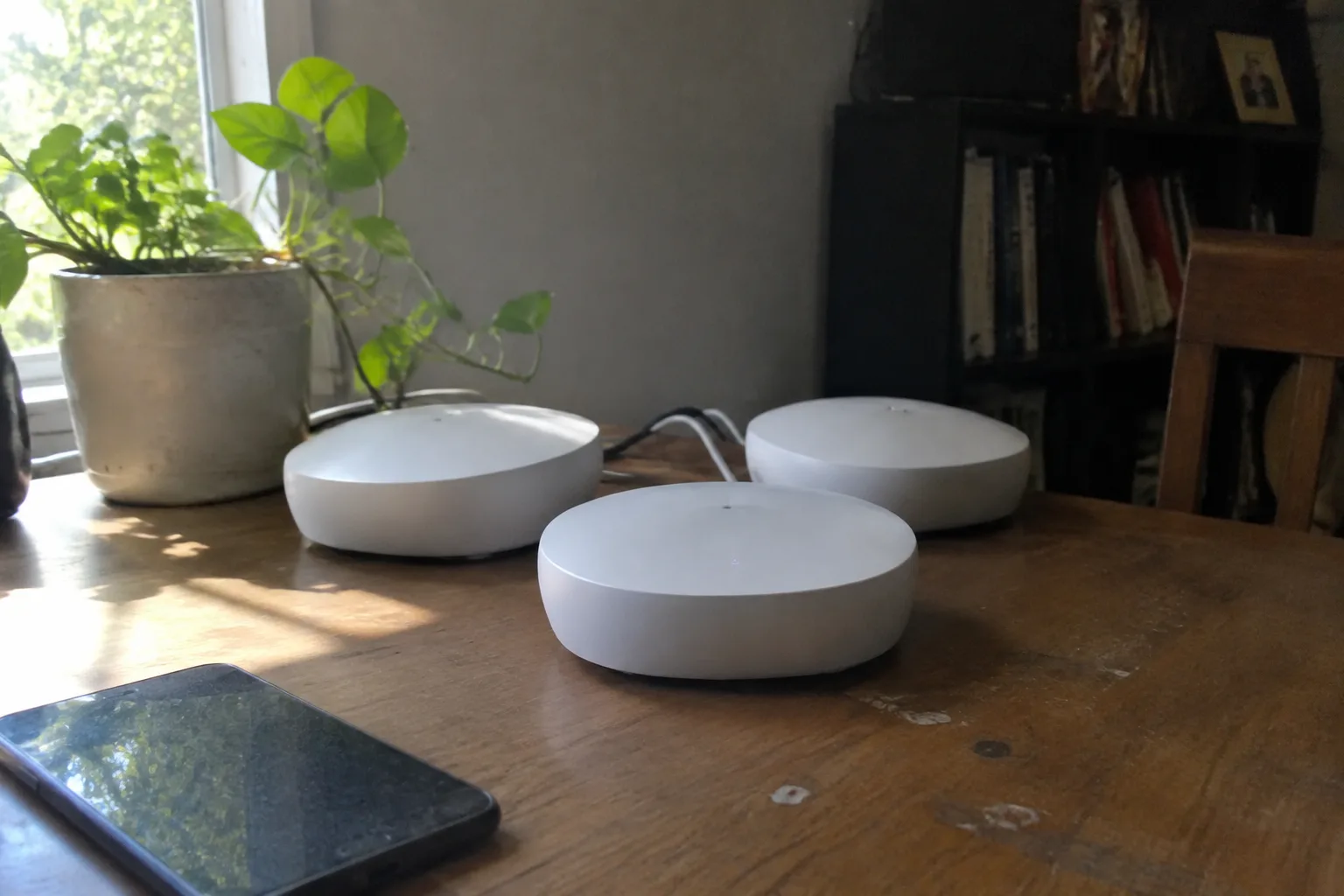
A mesh Wi-Fi system is a router plus one or more satellite units that share a single network name and hand devices off between them as a person moves through a home. The pitch is simple: no more dead bedroom, no more staring at a spinning wheel in the kitchen. For a 900-square-foot apartment, that pitch is mostly marketing. For a small house with a couple of interior walls and a stairwell, it can be the difference between a video call that holds and one that drops every eleven minutes.
The category has also gotten crowded and confusing in a way that punishes casual shoppers. Every major networking brand sells a three-pack, a two-pack, and a single unit, and the names are nearly indistinguishable: Deco, Orbi, Velop, Eero, Nest, AmpliFi. Speeds are printed in numbers that mean almost nothing in a 700-square-foot flat. The honest question is narrower than the shelf suggests: which of these systems actually improves a small space, and which just costs more for hardware that a single good router would have replaced.
Why a small home changes the math
Mesh systems were designed for the problem of distance. A big suburban house, three floors, a garage, a back patio, and Wi-Fi that has to reach all of it through drywall and a chimney. In that setting, multiple nodes earn their keep because a single router physically cannot push a strong signal through that much structure.
A small home inverts the problem. Distance is short. The enemy is interference and wall material, not range. A 1,200-square-foot house with a plaster wall down the middle and a microwave in the path can still produce a dead corner, but the fix is often placement and a better single router, not a second node broadcasting on the same channels as the first.
This is the part the marketing skips. Adding nodes to a small space can make things worse. Two units close together, both shouting on the 2.4 GHz band, create co-channel interference that a single well-placed router never has to deal with. Mesh earns its place in a small home only when there is a genuine structural obstacle: a thick brick wall, a detached garage office, a floor the main router cannot reach.
The two-pack is the right size for most apartments
For a one-bedroom or two-bedroom apartment, a two-pack covers the realistic worst case. One unit near the entry or living room where the modem lives, one at the far end of the hallway or in the bedroom that always struggled. That is the entire problem solved, and a third unit would just add noise.
The temptation is to buy the three-pack because it is only forty dollars more. Resist it. In a small flat, the third node usually ends up in a closet or unplugged in a drawer, or worse, plugged in two rooms from the second node where it fights it for airtime. The savings on the three-pack are real; the value is not.
A single mesh unit also works for a studio or a very small one-bedroom, and it behaves like a normal router with a nicer app. The mesh capability sits unused until a second unit is added later. That is a reasonable path for someone who expects to move to a bigger place within a year or two.
Wi-Fi 6 versus Wi-Fi 6E in a small footprint
Wi-Fi 6 (802.11ax) is now the baseline for any mesh system worth buying. It handles crowded airwaves better than Wi-Fi 5, which matters in an apartment building where a dozen neighbors' networks bleed through the walls. Every current model from the major brands supports it, and the price premium over older stock has mostly evaporated.
Wi-Fi 6E adds the 6 GHz band, which is cleaner because fewer devices use it and it does not pass through walls as readily. In a small apartment, that last property is a feature: the signal stays inside the unit instead of leaking to the hallway. The catch is that 6 GHz devices are still a minority. A phone from the last two years may support it; a smart TV from 2019 almost certainly does not. Buying 6E now is buying headroom, and headroom in a 700-square-foot flat is a luxury more than a necessity.
The practical split: a Wi-Fi 6 two-pack covers a small home well for the next several years. A 6E system makes sense for someone who just bought a laptop and phone that support the band and wants the cleaner channel. Neither choice is wrong; the difference shows up in a speed test more than in daily use.
The backhaul question nobody explains clearly
Mesh nodes talk to each other over a link called the backhaul. That link can run over Wi-Fi, which is wireless backhaul, or over an Ethernet cable, which is wired backhaul. The distinction decides how much of the advertised speed actually reaches the far node.
Wireless backhaul splits the radio's attention between talking to devices and talking to the other node. A tri-band system solves this by dedicating one band to the backhaul, which is why tri-band units cost more. A dual-band system shares, and the far node's throughput drops, sometimes by half. In a small home where the two nodes sit maybe thirty feet apart, that drop is survivable. In a house where they are sixty feet apart through two walls, it is not.
Wired backhaul sidesteps the whole problem. If the home has Ethernet runs, or if a person is willing to run one cable along a baseboard, a two-pack in wired backhaul mode delivers near-full speed at both ends. Many small homes do not have the wiring, and renting means no drilling. Wireless backhaul is then the only option, and the tri-band premium starts to look less like overkill.
Where the major systems actually differ
The honest answer is that at the same price and spec tier, the major mesh systems perform similarly in a small home. The differences that matter are in software, form factor, and how the system handles a modest number of devices.
Eero, now owned by Amazon, is the most opinionated about simplicity. The app is clean, setup takes ten minutes, and there are almost no knobs to turn. That restraint is either the best thing about it or the worst, depending on whether a person wants to name devices and set static IPs. The hardware is small and unobtrusive, which matters in an apartment where the router sits on a bookshelf in plain view.
TP-Link's Deco line is the value play. The units are plain white cylinders, the app is functional if not elegant, and the price per node is consistently lower than the premium brands. For a two-pack in a small apartment, Deco covers the job at a price that makes the decision easy.
Netgear Orbi leans toward performance and size. The units are larger, the tri-band models are genuinely fast, and the price reflects it. In a small home, Orbi is more system than the space needs, but the wired backhaul support and the raw throughput make it a reasonable pick for someone who works from home and moves large files.
Google Nest Wifi and the newer Nest Wifi Pro sit in the middle. The older Nest Wifi units double as smart speakers, which is either a clever space-saver or an unwanted microphone in the bedroom. The Pro drops the speaker and adds 6E. The app is friendly, and the parental controls are among the better ones for a household with kids.
Placement does more than the spec sheet
A two-pack of midrange mesh units placed well will outperform a three-pack of premium units placed badly. The rules are unglamorous. Put the main node where the modem is, ideally off the floor and out of a cabinet. Put the second node roughly halfway to the dead zone, not inside it. A node placed in the room with the weak signal has nothing strong to repeat.
Keep nodes away from metal, fish tanks, and microwaves. A node behind a television or inside a media console loses more signal than the spec sheet admits. In a small apartment, the difference between a node on a windowsill and a node on the floor behind a couch is often the difference between a working bedroom and a dead one.
The other placement rule: do not stack nodes vertically in a small home. A node directly above another on the second floor is too close. Spread them horizontally across the footprint when possible. If the home is a narrow two-story townhouse, one node per floor at opposite ends is the better arrangement.
When a single router beats any mesh
There is a real category of small home where the correct answer is one good router and no mesh at all. A studio, a one-bedroom under 700 square feet, an open floor plan with no interior walls to speak of. In those spaces, a single Wi-Fi 6 router with strong antennas covers everything, costs less, and adds no second node to interfere with the first.
The tell is simple. If the current router reaches every room, even weakly, and the complaint is speed rather than coverage, a mesh system will not fix it. The bottleneck is the internet plan or the router's age, not the geometry of the home. Upgrading to a newer single router solves that problem for a fraction of the price.
Mesh becomes the right answer when there is a room the signal genuinely cannot reach, or a structural barrier that no single unit can push through. A brick wall between the living room and the bedroom. A detached garage office. A long railroad apartment where the modem sits at one end and the desk at the other. Those are the cases where a second node earns its place.
A practical shortlist by home type
For a studio or one-bedroom under 700 square feet, a single Wi-Fi 6 router from a reputable brand is the sane purchase. If a mesh system is wanted anyway for future moves, a single Eero 6+ or a single Deco unit works and can be paired later.
For a two-bedroom apartment with one problematic room, a two-pack of TP-Link Deco X20 or X55 covers it at a modest price. The X55 adds 6 GHz support on some models, which is worth the small step up if the devices support it.
For a small house with a thick wall or a detached office, a tri-band two-pack makes the wireless backhaul tolerable, and Eero 6+ or Orbi tri-band units are the safer picks. If Ethernet can be run to the second location, a dual-band two-pack in wired backhaul mode performs just as well for less money.
For a household with several kids and a need for parental controls, Nest Wifi Pro or Eero with its subscription tier handles the software side better than the budget options. The subscription cost is real and worth factoring in before the purchase, not after.
The subscription line item most buyers miss
Several mesh brands now gate features behind a monthly subscription. Eero's advanced security, parental controls, and ad blocking sit behind Eero Plus. Nest Wifi Pro bundles some features but pushes others into a Google One plan. The hardware price on the shelf does not include any of this, and the features are the kind a household with kids or a home office tends to want within the first year.
The subscription is not a dealbreaker, and the base systems work fine without it. The point is that a forty-dollar price gap between two systems can invert once a year of subscription is added. A buyer comparing two two-packs should price both with the subscription tier they would actually use, or decide up front that the free tier is enough.
TP-Link and Netgear have largely kept their core features free, which is part of why the Deco line keeps showing up on shortlists for small homes. The trade is a less polished app and, in some models, less frequent firmware updates. For a small apartment where the system just needs to work, that trade is usually fine.
The return window is the real test
No spec sheet or review can predict how a mesh system will behave in a specific home. The walls, the neighbors' networks, the placement of the modem, the age of the devices, all of it changes the outcome. The only reliable test is to buy from a retailer with a generous return window, set the system up, and live with it for two weeks.
Run a speed test in every room on day one and again on day ten. Walk through the home on a video call and note where it stutters. If the second node is not pulling its weight, move it. If it still is not, return the system and try a single router instead. The return window costs nothing to use and is more informative than any comparison table.
A mesh system in a small home is a solution to a specific problem, and the homes that need one know it: a dead bedroom, a brick wall, a desk at the far end of a long flat. For everyone else, the money is better spent on a single good router and a faster internet plan. The box says mesh; the floor plan decides whether that word means anything.


