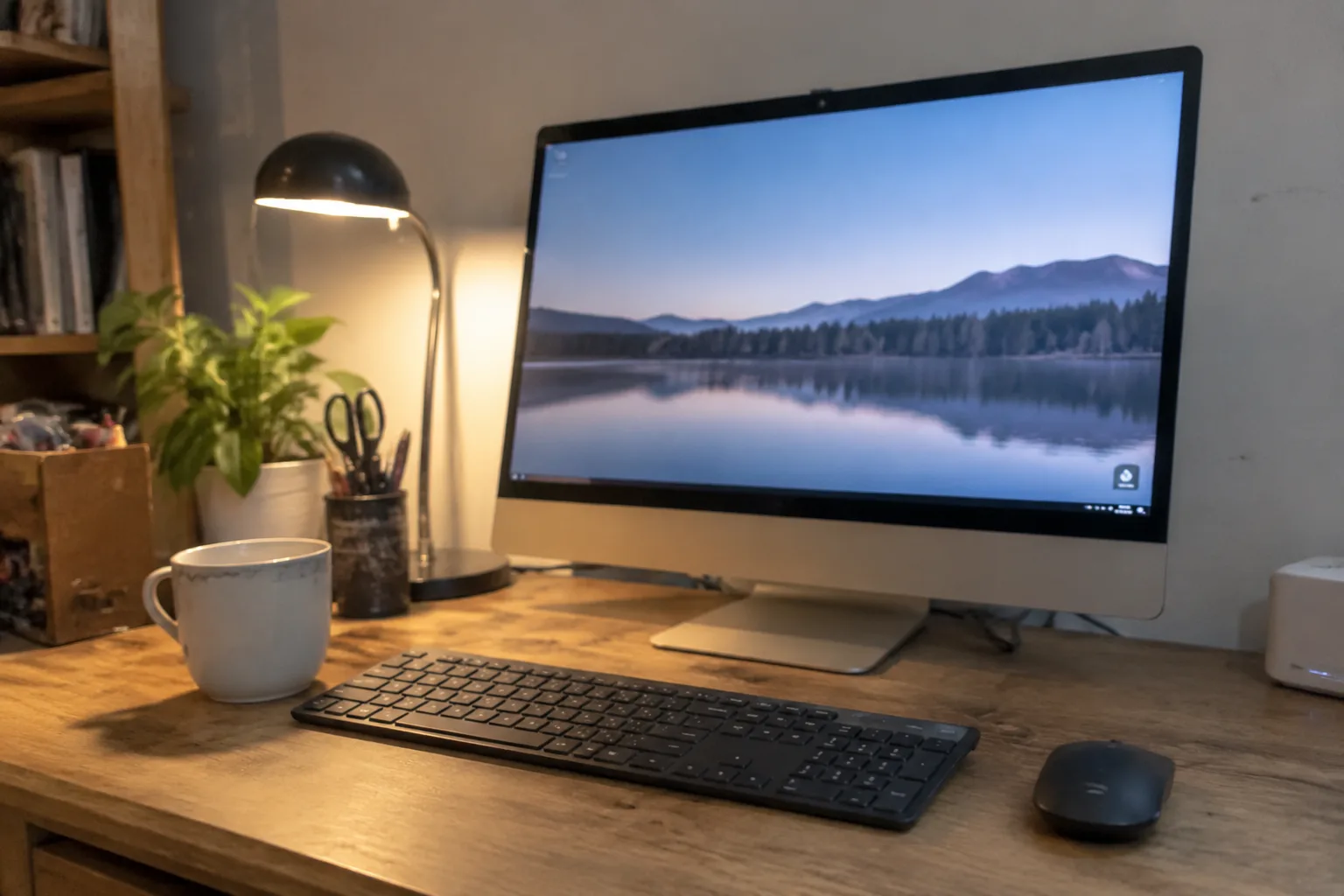
The all-in-one computer refuses to die. Every few years someone announces that the desktop is finished, that laptops have swallowed the market, that the only people still buying a monitor-and-chassis combo are dentists and receptionists. Then Apple ships another iMac, HP refreshes the Envy, and a quiet army of home-office workers remembers why they liked the format in the first place: one power cable, one clean footprint, a screen that does not wobble, and a machine that is already on when the first email arrives.
The format does have a real cost, and it is worth naming before anything else. The screen and the computer die together, or at least they age together. A 2019 all-in-one with a beautiful panel can be functionally obsolete while the display still looks fine, and there is no upgrade path short of replacing the whole object. That is the trade. In exchange, the home office gets a single object that sits on a desk and works.
What follows is a survey of the machines that make that trade worth making in 2024, organized by the kind of work they actually serve. Not a spec sheet recitation. A set of judgments about which desk each one belongs on.
The 24-inch iMac and the M3 problem
Apple's current iMac is a 24-inch machine running the M3 chip, and it is the default answer for a reason. The panel is bright and evenly lit, the fanless design is genuinely silent, and the whole thing is roughly the thickness of a hardcover book at its edge. A home office with an iMac in it looks like a home office someone thought about.
The complaint that has followed this machine since 2021 is the size ceiling. Twenty-four inches is a fine primary display for writing, email, spreadsheets, and video calls. It is cramped for anyone who genuinely works across two documents side by side all day. Apple sells a 27-inch Studio Display, but that is a standalone monitor, and pairing it with a Mac mini produces a two-box setup that undercuts the entire appeal of the format.
The M3 iMac starts around $1,299, which is not cheap, and the base model ships with 8GB of memory. That configuration is fine for browser tabs and documents and frustrating the moment a person tries to keep a dozen apps open. The 16GB upgrade is the one that matters, and it pushes the price past $1,500. Buyers who skip it tend to regret it by year three.
Where the HP Envy 34 all-in-one earns its footprint
For the home office that needs real screen real estate, HP's Envy 34 all-in-one is the most interesting machine in the category. The display is a 34-inch ultrawide, roughly the equivalent of two standard monitors sitting shoulder to shoulder without the bezel seam down the middle. A person editing video timelines or juggling three reference documents at once feels the difference immediately.
It is a big object. The stand is substantial, the whole assembly occupies most of a standard desk depth, and the built-in webcam pops up from the top edge on a small motorized stalk, which is either charming or fussy depending on temperament. The Windows configuration means access to the full range of desktop software, and the discrete graphics options make it viable for light creative work that would choke a thin all-in-one.
The Envy 34 is not a machine for someone who wants the desk to disappear. It is a machine for someone who has decided the desk is where the work happens and wants the screen to match the ambition. That is a narrower audience than Apple's, but it is a real one.
The Microsoft Surface Studio and the drafting-table question
The Surface Studio remains the strangest and most specific all-in-one on the market. The screen tilts down to roughly 20 degrees from horizontal, turning the whole computer into something closer to a drafting table. For illustrators, animators, and anyone who works with a stylus, that geometry is not a gimmick. It changes the posture of the work.
Everyone else should look elsewhere. The Studio is expensive, the internals are a generation or two behind the current best, and the tilting hinge adds weight and complexity that a spreadsheet user will never touch. It is a specialist's tool wearing a generalist's clothes, and the price reflects the hinge more than the silicon.
There is a version of the home office where the Studio makes perfect sense: a designer or illustrator who wants one clean object on the desk and does not want to tether a drawing tablet to a separate tower. For that person, nothing else in the category does the job.
Dell's OptiPlex all-in-one and the IT-department aesthetic
Dell's OptiPlex all-in-one line exists mostly because IT departments need to buy computers in bulk and want them to be serviceable. The result is a machine that looks like it was designed by committee and works like it was designed by engineers, which is roughly the compliment it deserves.
The panels are good without being remarkable. The stands are adjustable in the ways that matter. The chassis comes apart with a screwdriver, which is more than can be said for most of the competition, and the warranty options are the kind that make a small business owner sleep at night. For a home office that doubles as a small business back office, this is a serious contender that rarely gets mentioned in lifestyle coverage.
The aesthetic is the trade. An OptiPlex on a nice walnut desk looks like a rental car in a hotel driveway. Functionally unimpeachable, visually anonymous.
The screen size decision that comes before the brand decision
Most buyers walk into this category thinking about processors and memory. The decision that actually shapes daily experience is screen size, and it is the one that cannot be changed later. A 24-inch panel is a comfortable single-task display. A 27-inch panel is the sweet spot for most document work. Anything past 30 inches, especially in an ultrawide aspect ratio, changes how a person organizes windows and, honestly, how they think about the desk.
The practical rule: measure the distance from the back of the desk to the seated eye position before buying. A 34-inch ultrawide at 20 inches of viewing distance is a neck workout. The same panel at 30 inches is a pleasure. Most product pages list diagonal size and say nothing about viewing distance, which is the number that determines whether the machine feels generous or overwhelming.
Memory, storage, and the upgrade that cannot happen later
All-in-one computers are sealed objects. The memory and storage soldered inside them at the factory are the memory and storage they will have for their entire service life. This makes the configuration decision more consequential than it is on a desktop tower, where a stick of RAM costs thirty dollars and ten minutes.
The baseline that holds up for five years of home office work: 16GB of memory, 512GB of storage. Anything less and the machine starts to feel tight around year three, when browser tabs multiply and the photo library has grown. Anything more is a hedge against a future that may not arrive, but the 16GB floor is not optional for anyone who runs a video call, a spreadsheet, and a dozen browser tabs at once.
Storage is the easier call. A 512GB drive plus an external SSD for archives is cheaper and more flexible than paying the factory upgrade for a terabyte. The external drive can move to the next machine; the internal one cannot.
The webcam and speaker quality nobody lists in the specs
The parts of an all-in-one that get used most in a home office are the ones least discussed in reviews: the webcam, the microphone, and the speakers. A machine that sounds thin on a conference call is a machine that gets a separate headset plugged into it within a week, which defeats the clean-desk premise.
Apple's 1080p webcam on the iMac is genuinely good, and the six-speaker array is better than it has any right to be. HP's Envy line has improved its camera software considerably. Dell's business machines tend toward competent but unremarkable audio. The Surface Studio's camera sits awkwardly when the screen is tilted down, which is a small but real annoyance for anyone who takes calls between drawing sessions.
A buyer who takes video calls daily should weight the camera and microphone as heavily as the processor. The spec sheet will not help. The return policy will.
The repairability trade and what it means at year five
An all-in-one is a closed system with a finite life, and the way it fails matters. A failed drive in a sealed machine can mean a trip to a service center and a wait. A failed drive in a machine with an accessible chassis is a twenty-minute swap. This is the quiet argument for the business-oriented all-in-ones, and it is the quiet argument against the most beautiful ones.
There is also a resale consideration. Apple's iMacs hold value in a way that Windows all-in-ones do not, which softens the cost of ownership over five years. A $1,500 iMac that sells for $500 at year four costs roughly the same as a $1,100 HP that sells for $150. The sticker price is not the whole story.
Which desk each machine belongs on
A writing desk with a single window and a coffee cup: the 24-inch iMac, 16GB, in whatever color matches the room. It is the cleanest object in the category and the one most likely to still feel good in 2029.
A creative desk with a drawing tablet, a color-calibrated workflow, and a client deadline: the Surface Studio, accepting the price and the aging internals as the cost of the hinge.
A trading desk, a video editing bay, or any home office where three windows are open at once and the desk is deep enough to hold it: the HP Envy 34, with the understanding that it is furniture as much as it is a computer.
A small business back office where the machine will be serviced by someone with a screwdriver and a warranty: the Dell OptiPlex all-in-one, anonymous and reliable, the sedan of the category.
The all-in-one is a commitment to a shape. The shape is good. The commitment is the part that requires honesty about how the desk is actually used, because the machine that arrives will be the machine that stays, screen and silicon together, until one of them gives out.


